

DX System Function Detail Generation -- User Manual
1. Product Overview
The DX System Function Detail Generation tool is designed to address efficiency and accuracy challenges in the requirement transfer process between product managers and the R&D team. By intelligently parsing user-inputted product requirement descriptions or interaction prototype logic, the system automatically generates software function details and requirement specification documents that are structurally clear and content-rich.
This system not only significantly reduces document preparation time but also ensures the integrity and consistency of transforming business requirements into technical implementations through standardized output formats, serving as a powerful assistant for enhancing team collaboration efficiency.
2. Preliminary Preparation
Before using the DX system to generate requirement documents, please ensure your environment and preparations meet the following requirements:
- Network Environment: Ensure your device is connected to the Internet to guarantee the normal operation of the system's parsing services.
-
Material Preparation:
- Core Requirement Organization: Clearly outline the core objectives, target user groups, and main business processes of the system to be developed, either mentally or on draft paper.
- Key Pain Point Analysis: Identify the major challenges currently faced by the business or specific problems requiring resolution; this will assist the system in generating more targeted solutions.
- Special Requirement Confirmation: Confirm whether there are specific technology stack limitations, compliance requirements, or output format preferences.
3. Operational Procedures
This chapter provides detailed guidance on how to use the system to complete the generation and management of requirement documents from scratch.
3.1 Information Entry
Upon entering the system's main interface, you must first complete the entry of basic information. This serves as the core basis for document generation.
-
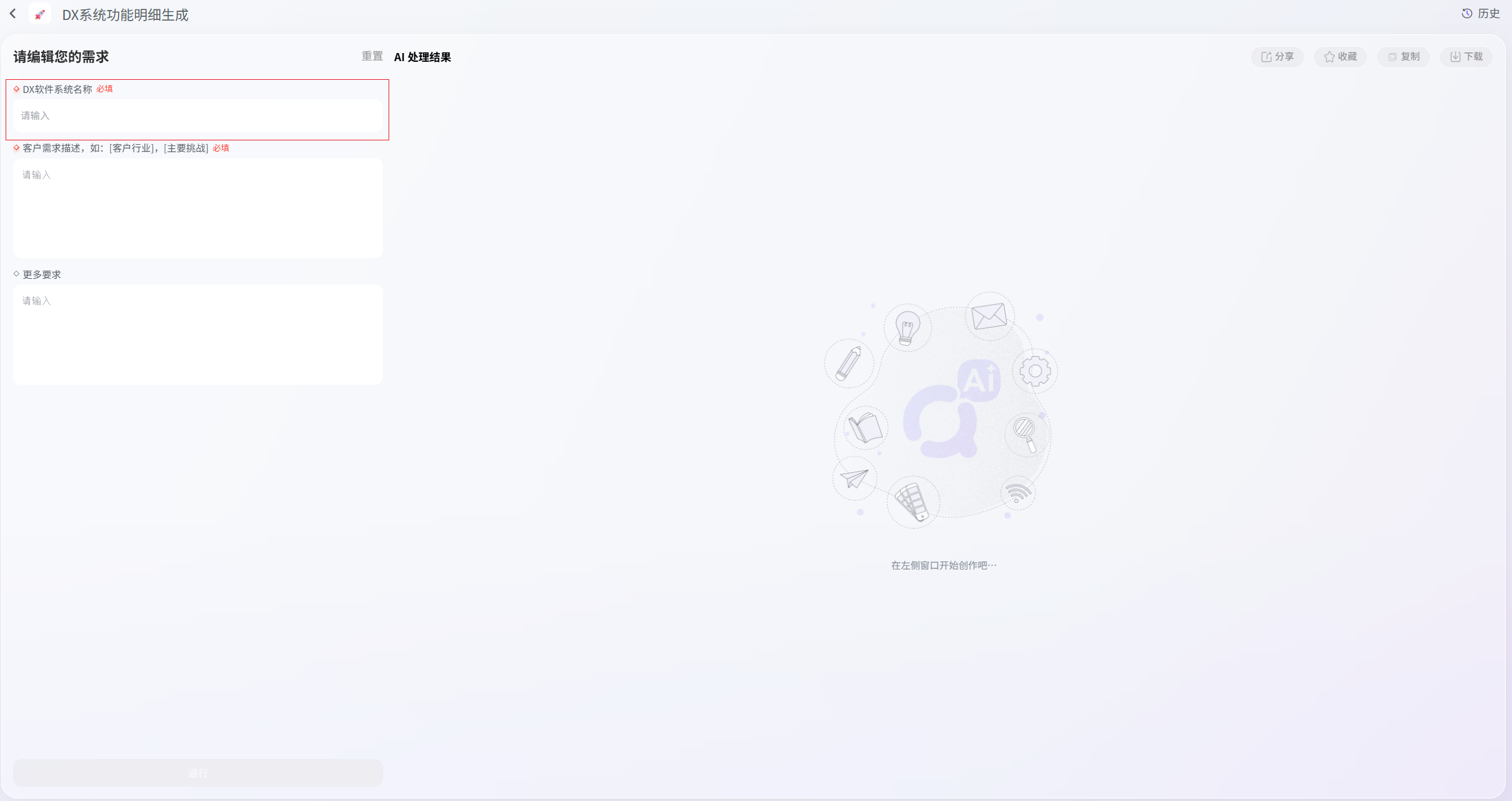
Enter System Name
- In the DX Software System Name input field, type the name of the software under development.
-
Note: This item is mandatory. It is recommended to use a standard project code or the full product name.
-
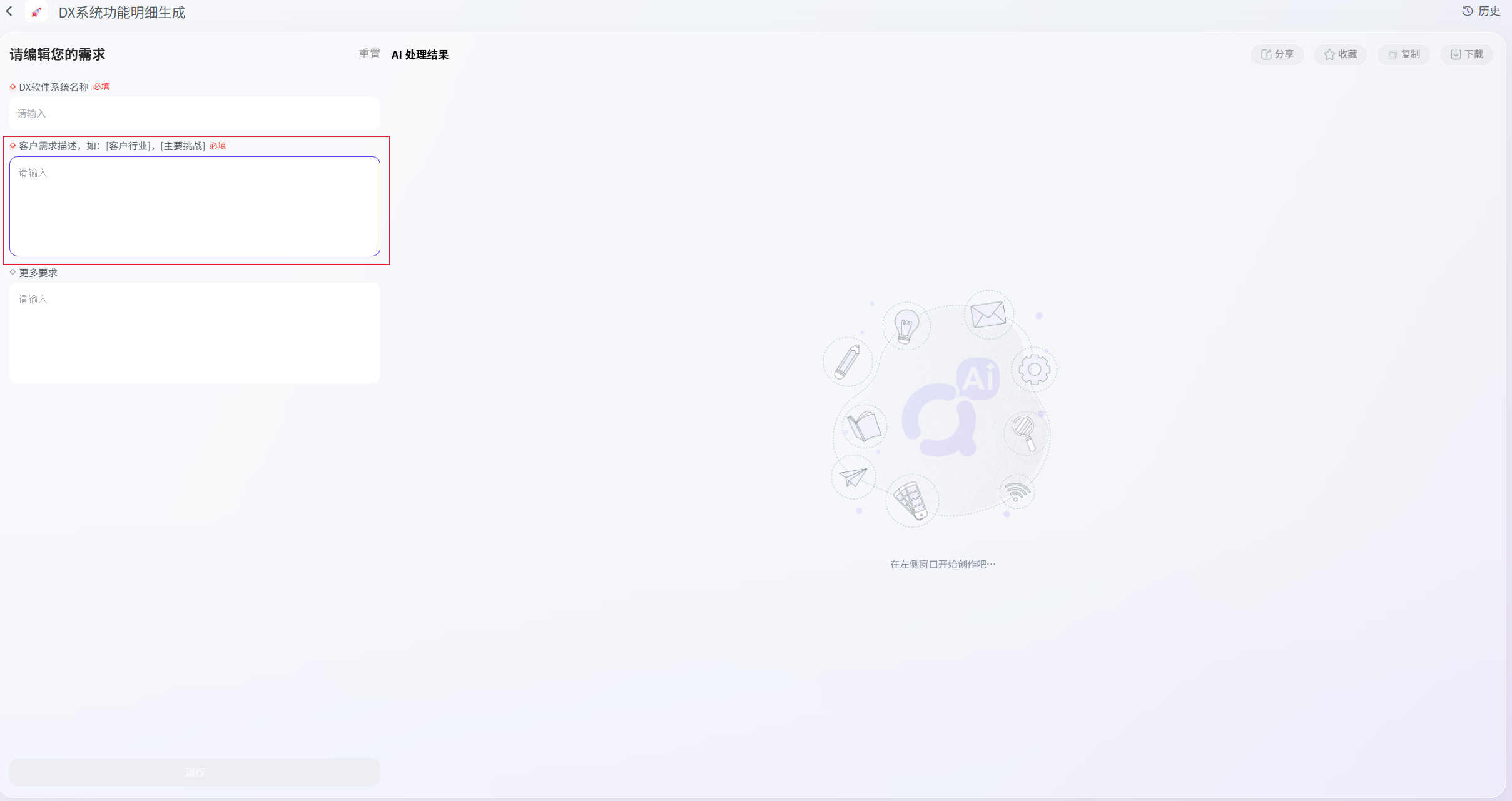
Describe Customer Requirements
-
In the Customer Requirement Description text box, enter the business background in detail.
-
Filling Guide: The content should include the industry sector, major challenges faced, and expected functionalities.
-
Examples:
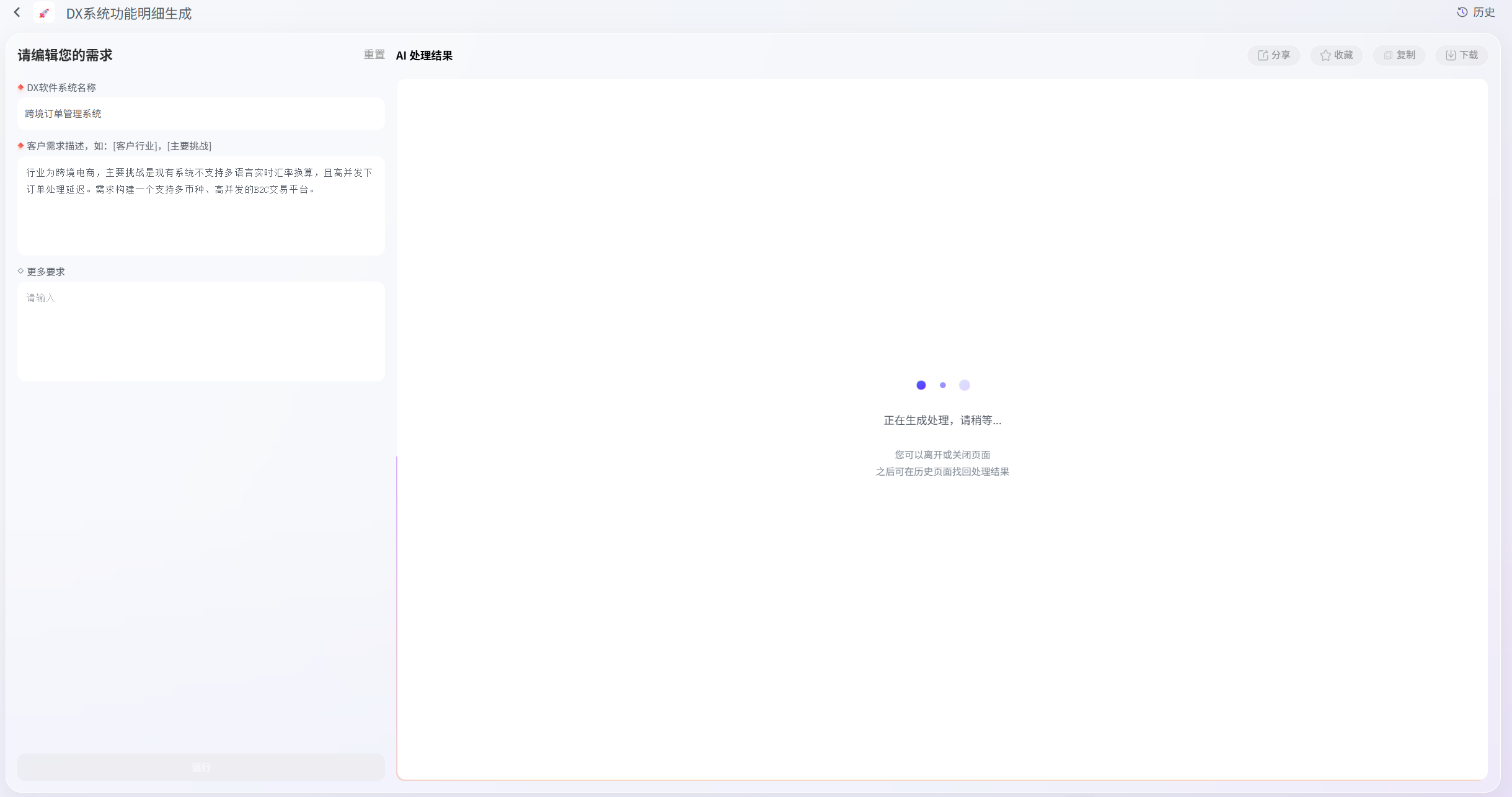
- Example 1 (E-commerce Sector): The industry is cross-border e-commerce; the primary challenge is that the existing system does not support multi-language real-time currency exchange rates, and order processing suffers from latency under high concurrency. The requirement is to build a B2C trading platform supporting multiple currencies and high concurrency.
- Example 2 (Internal Enterprise): The industry is manufacturing; the primary challenge is that production inventory data relies on manual entry, leading to errors and delays. The requirement is to develop an inventory management system interfacing with IoT devices to achieve automatic data collection and early warning.
-
-
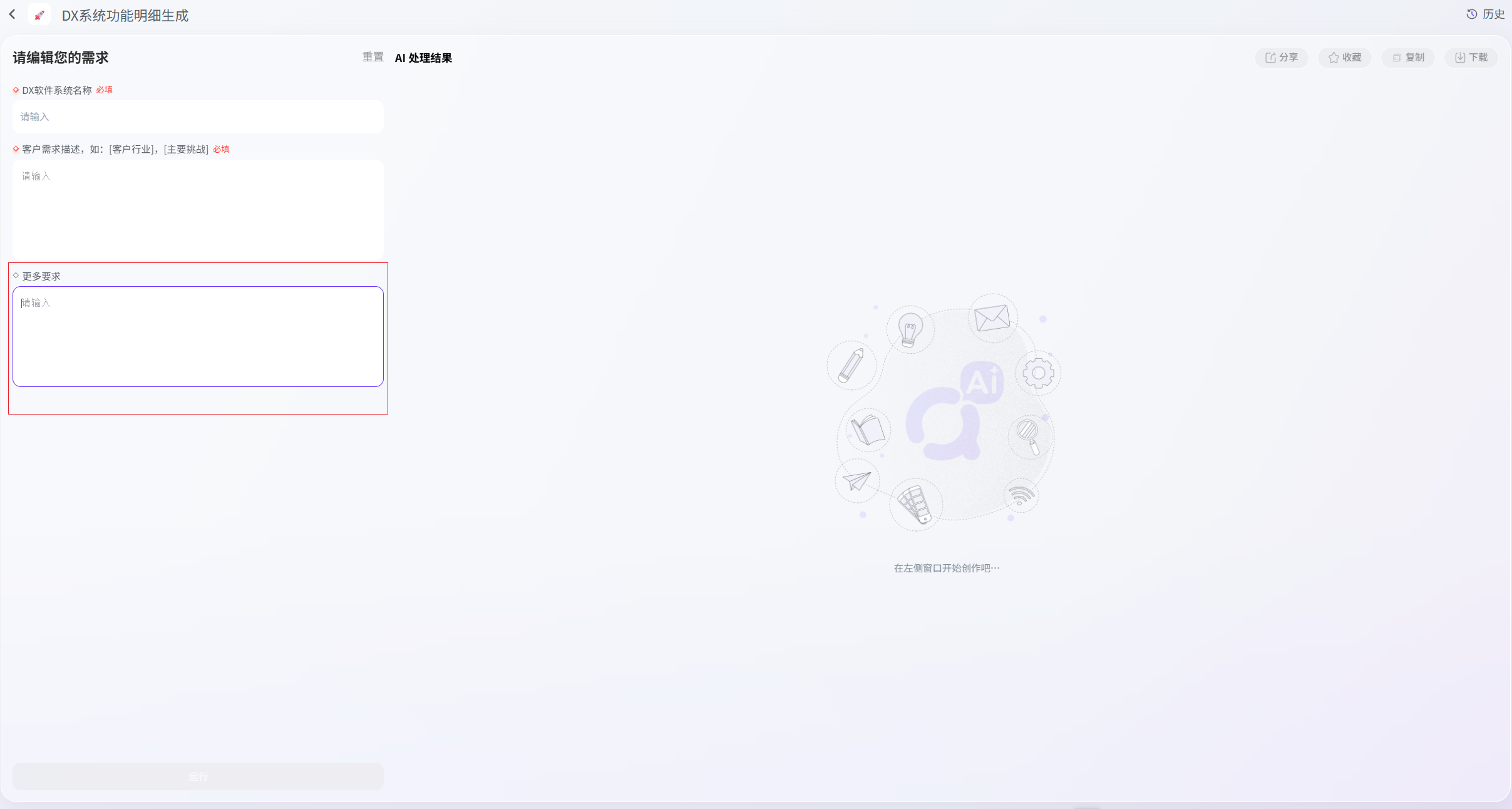
Supplement Additional Requirements (Optional)
-
If there are specific needs, please supplement them in the Additional Requirements field.
-
Filling Guide: You may specify the technical architecture, deployment method, specific compliance standards, or document focus areas (e.g., focusing on interface design or UI workflows).
-
Examples:
- Example 1: The backend must utilize the Java Spring Boot framework, and the frontend must use Vue.js.
- Example 2: The document must include a detailed database table structure design and comply with GDPR data privacy protection regulations.
-
3.2 Input Management and Reset
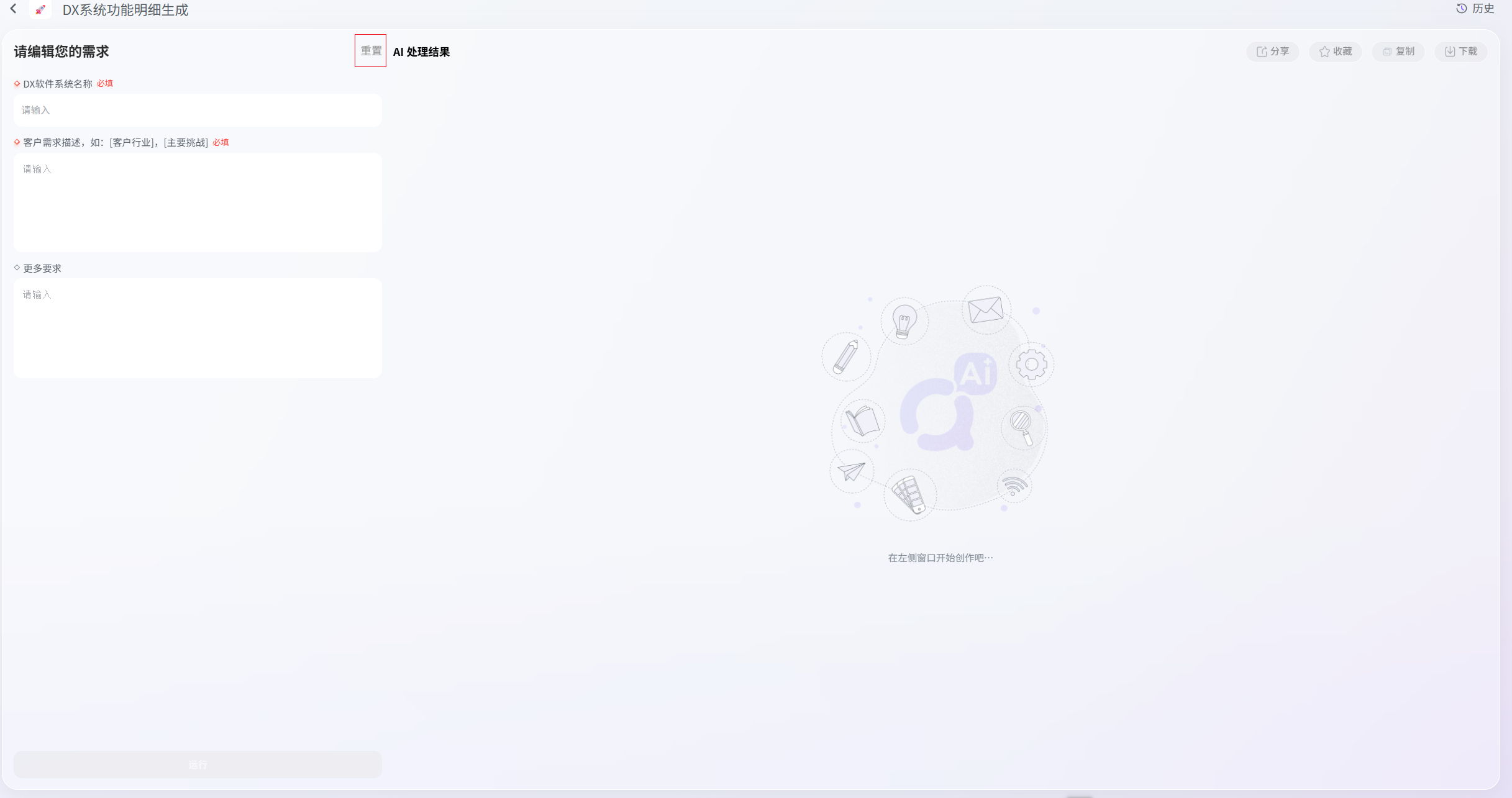
During the filling process, if you need to restart or clear current inputs, you may use the reset function.
- Operation Steps: Click the Reset button at the top of the page.
- Result: All input fields on the page (including System Name, Requirement Description, and Additional Requirements) will instantly revert to their default blank state.
3.3 Execution of Generation
After confirming that all mandatory information is accurate and error-free, you may initiate the generation process.
-
Operation Steps: Click the Run button on the interface.
-
System Feedback:
- The AI Processing Result area displays "Generating processing, please wait...".
- The system begins parsing your input, performing logical modeling and text generation.
- Please wait patiently; processing time typically ranges from a few seconds to several tens of seconds, depending on the complexity of the requirement description.
3.4 Result Acquisition and Management
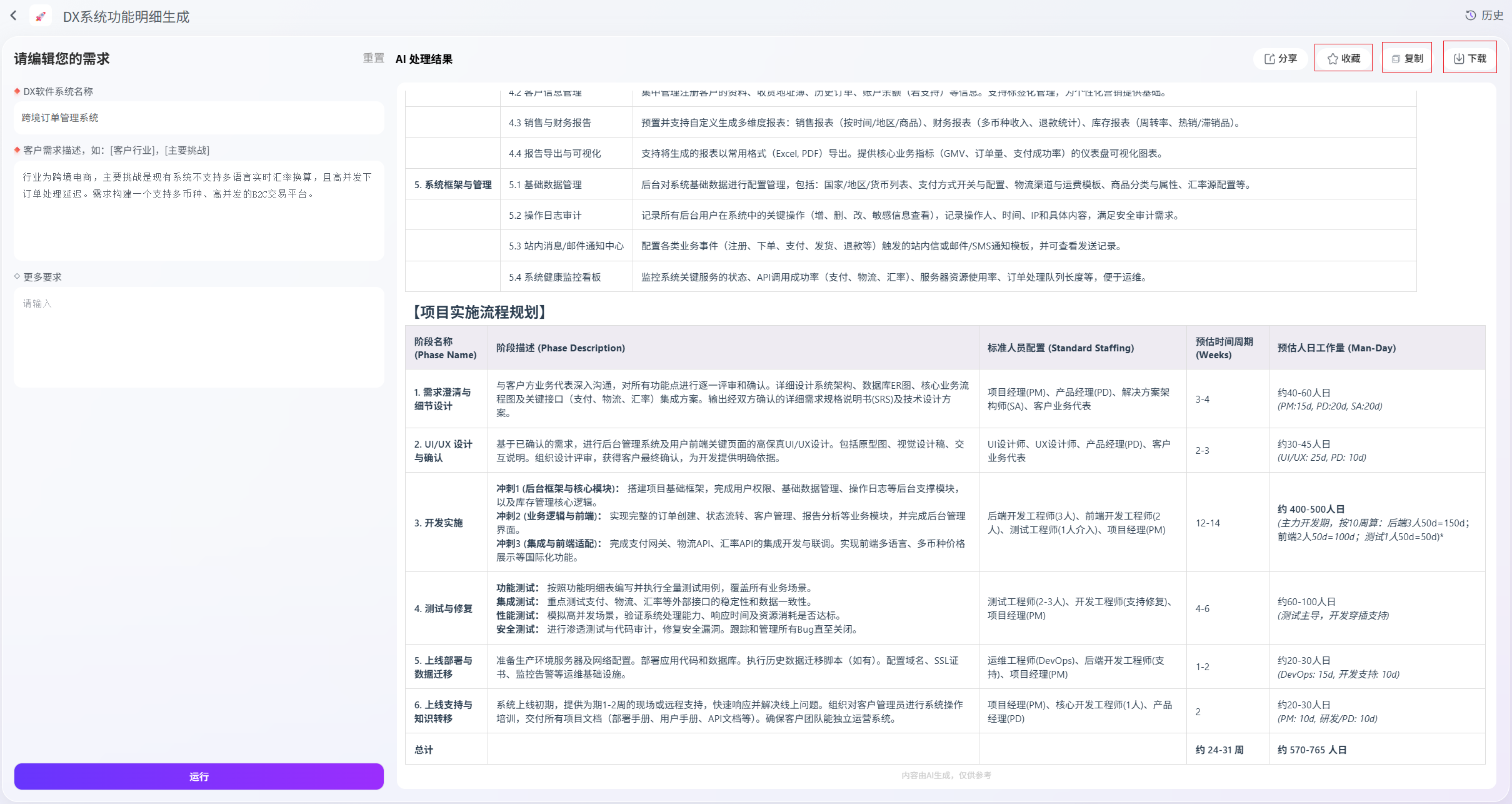
Upon completion of the generation task, the system will display the final requirement document content. You can perform various operations on the results through the following functions.
3.4.1 Copy Content
If you need to paste the generated content into another editor (such as Notion, Word Online, etc.):
- Operation Steps: Click the Copy button in the toolbar.
- Result: The system prompts "Copy Successful"; at this point, the complete generated text has been stored in your clipboard, allowing you to proceed directly to the target location for pasting.
3.4.2 Download Document
If you need to save a standard document locally:
- Operation Steps: Click the Download button in the toolbar.
-
Result: The browser will automatically download a file formatted as
.docx(Word Document) to your default download folder.
3.4.3 Bookmark Record
If you believe the currently generated result holds long-term reference value and wish to access it at any time:
- Operation Steps: Click the Bookmark button (star icon) in the toolbar.
- Result: This record will be marked. You can navigate to the History -> Bookmarked list via the navigation menu to quickly locate this record.
3.4.4 Share Results
If you need to send the generated requirement document to colleagues or clients:
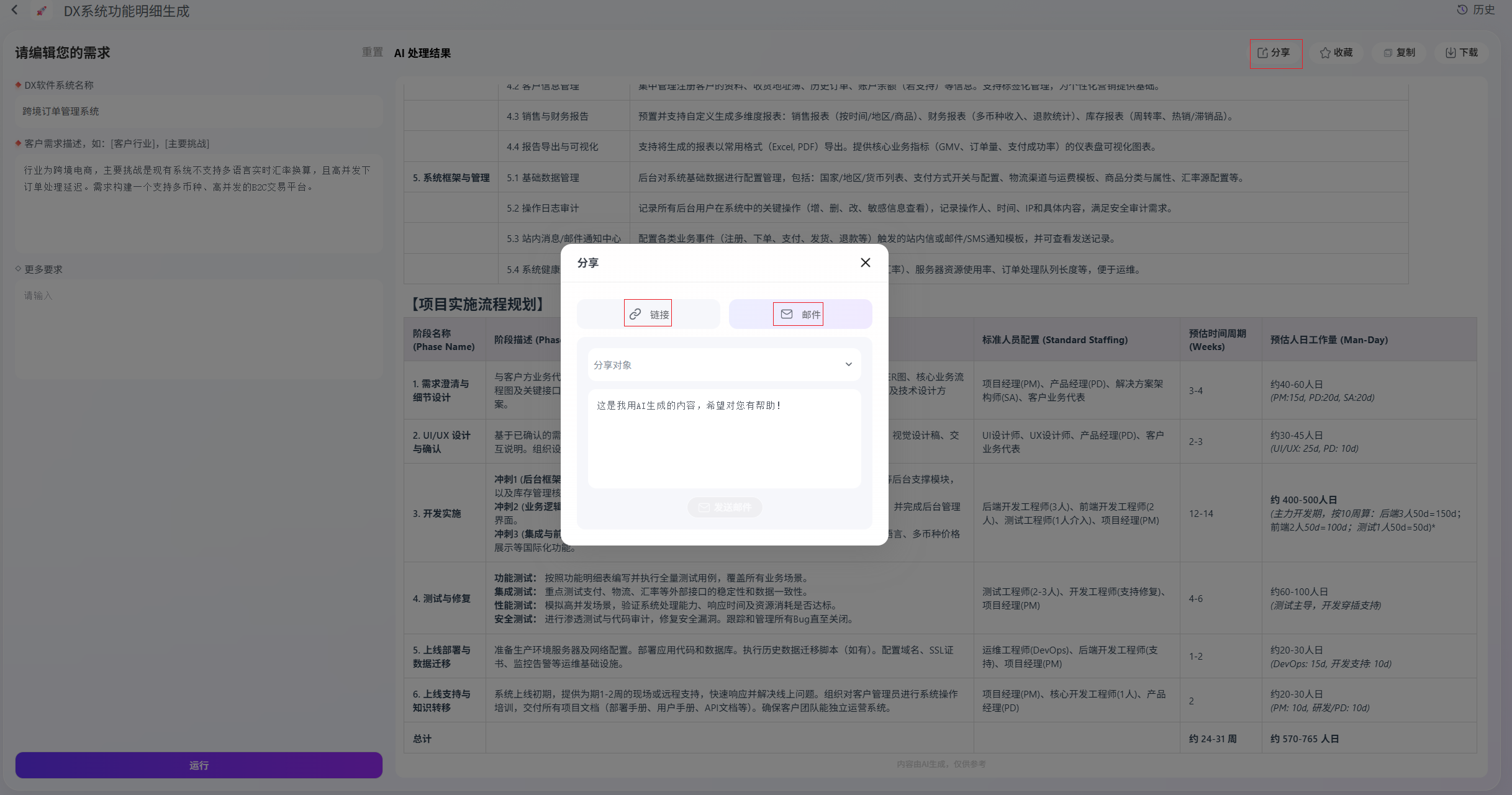
- Operation Steps: Click the "Share" button.
-
Result: A sharing options window will pop up. You may choose:
- Link Sharing: Copy a unique URL link to send to the recipient, who can view it upon clicking.
-
Email Sharing: Select the sharing recipients; the system will automatically send an email.
4. Frequently Asked Questions
Q1: Can the generated document be used directly for development?
A1: The DX system generates standardized function details and requirement specification documents covering core business logic and system interactions. While it serves as a solid foundation for R&D work, it is recommended that the technical lead conduct a detailed technical review based on the actual technology stack before coding begins.
Q2: Will leaving the "Additional Requirements" field blank affect the generation results?
A2: No. The "Additional Requirements" field is optional. If left blank, the system will generate the document based on general industry standards and best practices. However, if you have specific constraints (such as specific technology stacks or compliance requirements), filling out this section will significantly improve the document's relevance.
Q3: What should I do if there is no response for a long time after clicking "Run"?
A3: First, check whether your network connection is stable. If the network is normal but there is still no response, the server load may be high; please wait a moment or refresh the page to retry. Note that to avoid duplicate submissions, do not click "Run" frequently.
Q4: Can the format of the downloaded Word document be modified?
A4: Yes. The downloaded file is in standard Word format; you can freely open, edit, and format it using software such as Microsoft Word or WPS.
5. Summary
Through intelligent requirement parsing and document generation technology, the DX system greatly simplifies the process from product conception to requirement implementation. With the guidance of this manual, you should have mastered the complete workflow of how to enter requirements, execute generation, and efficiently utilize the generated results through functions such as copying, downloading, bookmarking, and sharing.
Proper use of the DX system not only ensures the accuracy and completeness of requirement documents but also unleashes the team's creativity, allowing product and R&D personnel to dedicate more energy to building core value.