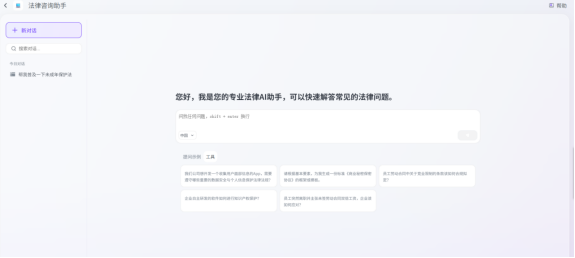
[MLPS Consulting Assistant] User Manual
1. Product Overview
The MLPS Consulting Assistant is an intelligent consulting system specifically designed for the security compliance of enterprise information systems. Built upon advanced generative artificial intelligence technology, this system focuses on the Multi-Level Protection Scheme (MLPS) compliance domain. It aims to provide enterprises with precise and efficient services regarding policy interpretation, compliance pathway planning, and issue resolution.
Through this system, users can obtain professional advice on MLPS assessment, classification filing, construction rectification, and other critical stages via natural language interaction, without requiring a profound background in law or cybersecurity. The system is dedicated to transforming complex compliance requirements into clear and actionable guidelines, thereby assisting enterprises in successfully completing MLPS compliance tasks and mitigating security risks.
Key Functional Highlights:
- Intelligent Policy Interpretation: Rapidly analyzes the latest cybersecurity laws, regulations, and MLPS standards.
- Compliance Pathway Planning: Generates personalized compliance construction steps based on the enterprise's current status.
- 24/7 Issue Resolution: Provides immediate responses to technical and management inquiries regarding MLPS 2.0 and assessment requirements.
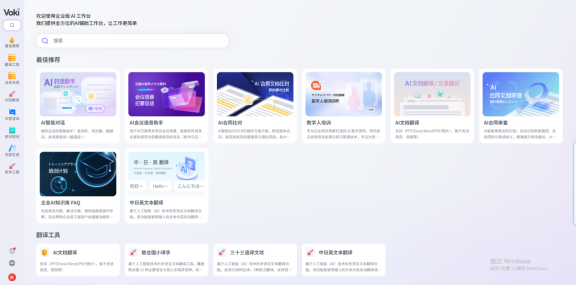
2. Preliminary Preparation and System Login
Before commencing the use of the MLPS Consulting Assistant, please ensure that your device is connected to the internet and that you are using a recommended browser (such as Chrome or Edge) for the optimal experience. The specific steps for logging into the system are as follows:
Operational Procedures
-
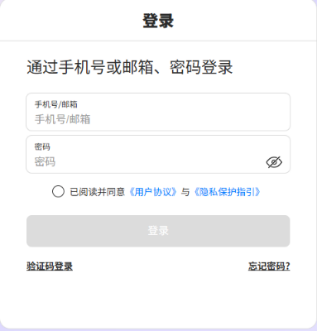
Launch the Browser
Enter the official login address
https://aihub.natec.cn/#/logininto the browser's address bar and access the page. - Enter Account Credentials In the designated area on the login page, input the Account and Password assigned to you by the system administrator.
- Read and Agree to Terms Check the option stating "I have read and agree to the 'User Agreement' and 'Privacy Protection Guidelines'" located below the login box. Please carefully review the relevant terms before checking the box to fully understand your rights and obligations.
- Complete Login Click the blue "Login" button. The system will verify your identity; upon successful verification, you will be automatically redirected to the Workbench interface.
3. Operational Workflow
Upon logging into the system, you may pose inquiries to the MLPS Consulting Assistant through conversational interaction. The following serves as the operational guide for the core consultation process.
3.1 Submitting Consultation Requests
- Locate the Input Area Within the conversation interface of the Workbench, locate the text input box at the bottom (typically displaying prompts such as "Please enter your question..." or similar).
-
Input the Question
Type your specific inquiry regarding MLPS compliance into the input box.
- Example Input: "What is the assessment cycle for Level 3 MLPS?" or "We need to build a new system; how do we proceed with classification filing?"
- Submit the Question Click the "Submit" button adjacent to the input box (usually represented by a send icon or a text button labeled "Submit"). The system will immediately commence processing your request.

3.2 Obtaining Results and Exception Handling
System response generation requires a certain amount of computational time; please exercise patience during this period. Regarding various network or system states, please note the following mechanisms:
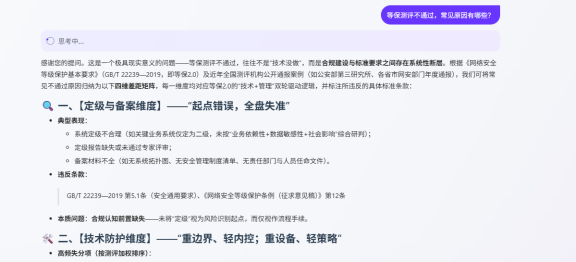
- Normal Generation: The system will return detailed consultation results word-by-word or in segments within the dialogue window.
- Excessive Generation Time or Page Lag: If you encounter stalled generation progress or prolonged waiting times, you may attempt to re-open the page or refresh the browser. The system backend will continue processing the task, and your request will not be lost.
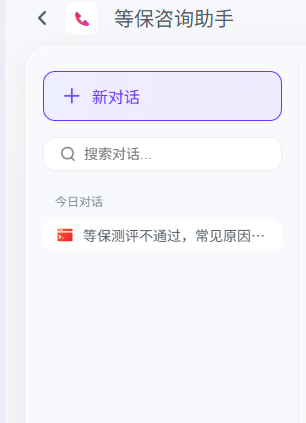
- Viewing History Records: Should you exit the page before generation is complete, there is no cause for concern. Once the system finishes processing, incomplete generation results will be automatically saved and reflected in the history records. You may view previously submitted tasks and their final results at any time within the "History Records" module.
- Result Notification: To ensure you do not miss critical information, upon completion of the task generation, the system will send a notification email to your registered email address; please monitor your inbox accordingly.
4. Frequently Asked Questions
Q1: What should I do if I accidentally close the web page while waiting for a response? A: Rest assured, the backend will continue to process your request. You may log back into the system and navigate to the "History Records" section to check. Once generation is complete, the result will appear in this list, and the system will simultaneously send an email notification to you.
Q2: How long does it typically take for the system to generate results? A: The generation speed depends on the complexity of the question. General policy interpretations may respond within seconds, whereas complex compliance pathway planning may require a longer duration. If the wait exceeds expectations, please refer to the "Exception Handling" mechanism to refresh the page.
Q3: Can I submit multiple questions simultaneously? A: We recommend waiting for the generation of the previous question to complete before submitting the next one, to ensure the coherence of the consultation logic and the efficiency of the system response.
Q4: What should I do if I cannot log in after entering my account and password? A: First, verify whether the account or password was entered incorrectly (paying attention to case sensitivity) and confirm that the user agreement has been correctly checked. If the issue persists, please contact the system administrator to verify the account status or reset the password.
5. Summary
The MLPS Consulting Assistant is a powerful tool for your enterprise's journey toward information security compliance. By following the guidance in this manual, you should be able to proficiently perform core operations such as system login, question submission, and result retrieval.
Please remember the system's fault tolerance mechanisms:
- In the event of generation delays, refresh the page;
- Incomplete tasks are automatically stored in the history records;
- Completed results are notified via email.
We aim to assist you in efficiently addressing MLPS compliance challenges and establishing a robust cybersecurity defense line through intelligent services.