User Manual for Legal Consultation Assistant Agent
1. Product Overview
The Legal Consultation Assistant Agent is a professional legal service support tool based on advanced artificial intelligence technology. This system aims to provide efficient and precise legal support for enterprises and individuals, capable of answering various legal questions, analyzing potential legal risks, and offering professional advice with reference value for legal decision-making.
This system possesses powerful contract assistance capabilities. It can automatically generate contract templates with complete structures, comprehensive clauses, and precise language based on users' contract drafting requirements, significantly lowering the threshold and time cost of legal work.
2. Preliminary Preparation and System Login
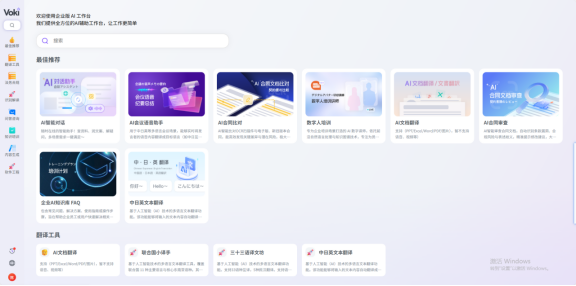
Before starting to use the Legal Consultation Assistant, please ensure your network environment is stable and have your official account ready. The detailed login steps for the system are as follows:
- Open Browser Launch a mainstream web browser (such as Chrome, Edge, Firefox, etc.) on your computer or mobile device.
-
Enter Official Login Address
Enter the official login address in the browser address bar:
https://aihub.natec.cn/#/loginand access it. - Account Password Login In the designated area of the login page, accurately enter your registered account and password.
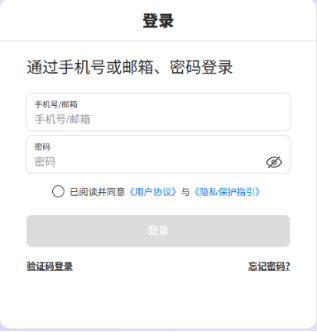
- Check Agreement Box Below the login button, be sure to check the checkbox for "I have read and agree to the 'User Agreement' and 'Privacy Protection Guidelines'" to confirm that you comply with the platform's usage regulations.
- Click Login Button Click the blue "Login" button. The system will verify your identity information. After successful verification, please wait a moment; the page will automatically redirect to the workspace interface.
3. Operational Procedures
After entering the workspace, you may begin legal consultations or contract drafting. Please follow the steps below:
- Select Consultation Country Based on your business or personal needs, select the applicable jurisdiction country in the designated area of the interface. Currently, the system supports selecting China or Japan.

-
Input Consultation Question In the text input box, describe in detail the legal question you need to consult or the contract drafting requirements. To obtain more accurate answers, it is recommended that you provide background information and specific requirements as much as possible.
-
Submit and Generate After confirming that the information is correct, click the "Submit" or "Generate" button. The system will begin processing your request.
Important Notice: Retrieval of Generated Results and Exception Handling
When using this system to generate content, please note the following mechanisms to ensure receipt of complete services:
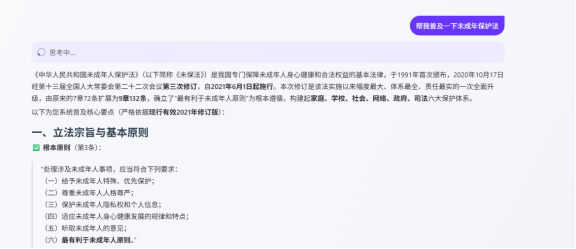
- Processing Time and Exceptions: The AI generation process requires a certain amount of time. If the interface freezes, an error occurs, or the generation time is excessively long, you may try reopening the page. The system backend will retain your task status.
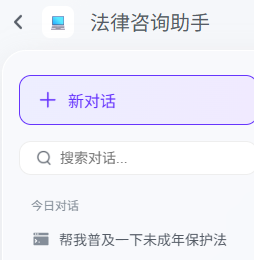
- Result Viewing: For unfinished generated results, once the backend processing is completed, the results will be automatically synchronized and saved in your History Records, which you can retrieve at any time.
- Notification Mechanism: Upon completion of all tasks, the system will send a notification email via email to inform you that the results have been generated. Please pay attention to check your inbox.
4. Frequently Asked Questions
Q1: What should I do if the page crashes during the generation process? A: Please do not panic; you can directly reopen the page and log in again. Unfinished generation tasks will continue to be processed in the background, and the results will be displayed in your [History Records] upon completion.
Q2: How do I know if my contract or consultation question has been processed? A: The system will automatically send a notification email to your registered email address after the generation task is completed. Additionally, you can check the task status at any time in the [History Records] list within the system.
Q3: Which countries' legal consultations does the system currently support? A: Currently, the system primarily supports legal system consultations and contract template generation for China and Japan.
5. Summary
The Legal Consultation Assistant Agent integrates advanced AI technology to transform complex legal analysis processes into simple interactive operations, helping users quickly obtain professional legal reference opinions and high-quality contract templates.
Guided by this manual, you should be able to proficiently complete core operations such as logging in, selecting the applicable law country, inputting consultation questions, and managing generated results. During usage, please make good use of the History Records function and the email notification mechanism to ensure no important legal documents are missed. We are committed to providing you with a professional, efficient, and secure intelligent legal experience.