

[Thirty-Three Language Translation Workshop] User Operation Manual
1. Product Overview
The [Thirty-Three Language Translation Workshop] is a powerful intelligent multi-language translation tool designed to provide users with efficient and accurate cross-language text conversion services. The system core supports bidirectional translation among 33 mainstream languages, including Chinese, English, French, etc., and specifically caters to domestic requirements by supporting bidirectional translation between five ethnic minority languages (Tibetan, Kazakh, etc.) and Chinese, covering a total of 38 language directions.
A significant feature distinguishing this product from traditional translation tools is its deep parameterized customization capability. Users can not only perform basic text translation but also flexibly configure tone style, industry domain, usage scenario, and terminology library according to actual needs. Through these parameters, the system refines the translation results, ensuring that the translated text is not only semantically accurate but also aligns with specific professional standards and contextual requirements, making it suitable for various scenarios such as business communication, academic research, and technical documentation.
2. Preliminary Preparation
Before starting to use this system for translation, please ensure your operating environment meets the following basic requirements to guarantee the best user experience:
- Network Environment: Please keep your device connected to a stable and high-speed internet connection. Network fluctuations may cause generation delays or failures.
- Account Preparation: Please ensure you have registered and logged into the system account.
- Text Materials: Prepare the original text content to be translated. Support is provided for direct entry or copying and pasting from other documents (such as Word, PDF).
3. Operational Workflow
The operational workflow of this system follows the logical closed loop of "Configuration — Input — Execution — Output". The detailed operation steps are described below.
3.1 Setting Translation Language Pairs
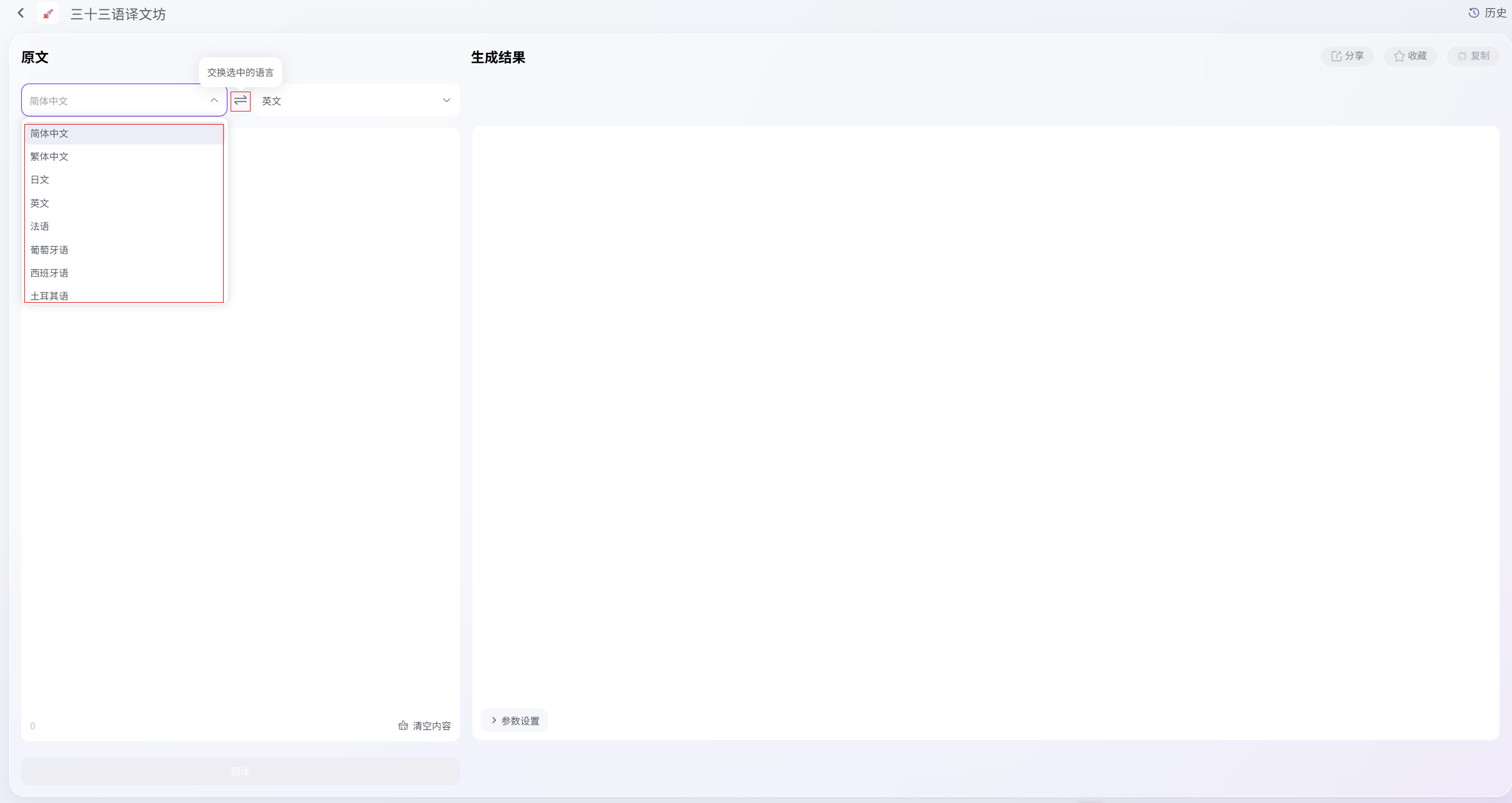
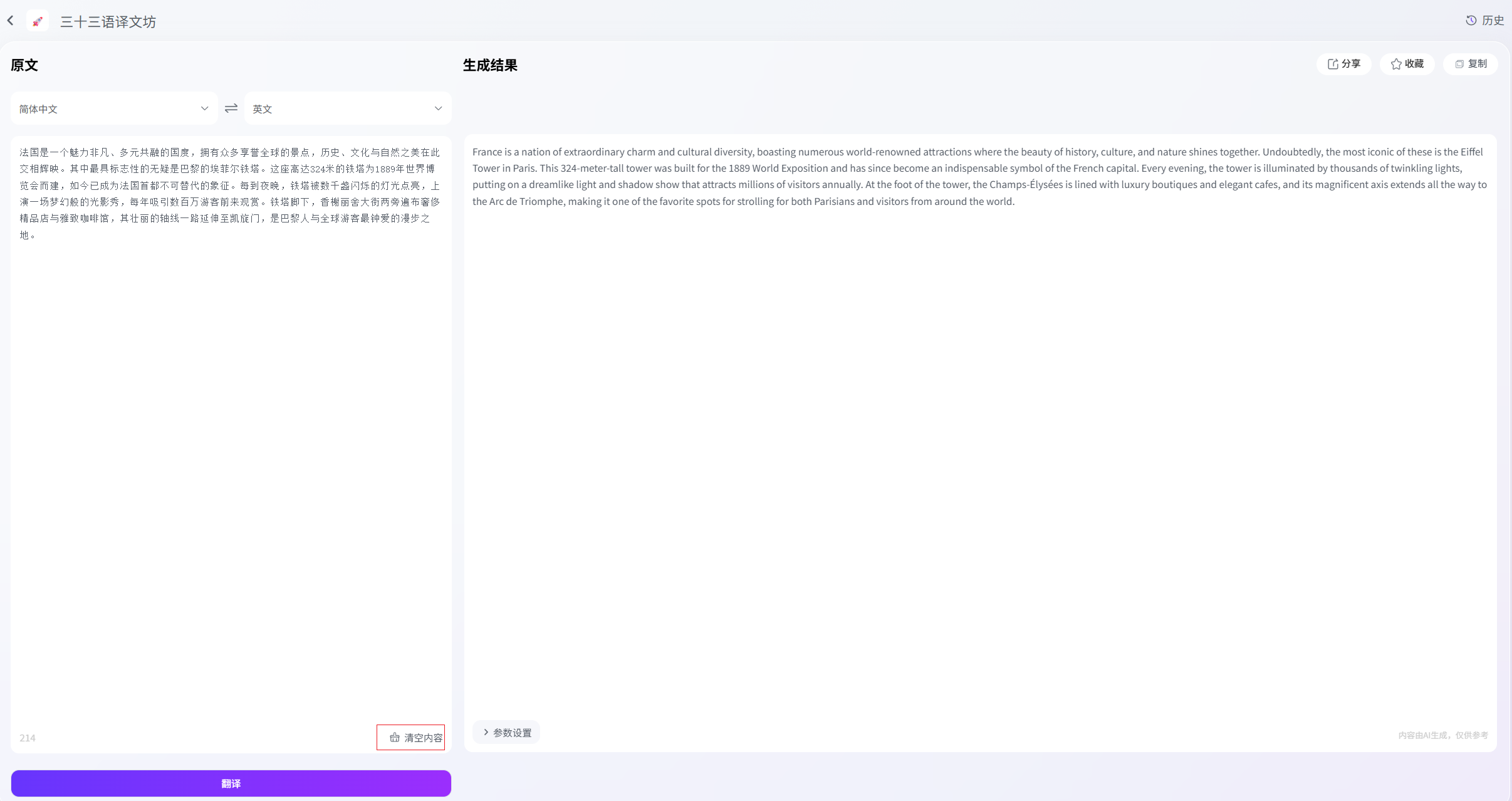
Enter the Thirty-Three Language Translation Workshop from the workspace, first accessing the translation language configuration interface.
- Select Source Language: In the dropdown list on the left side of the interface, select the original language of the text to be translated (e.g., Simplified Chinese).
-
Select Target Language: In the dropdown list on the right side of the interface, select the target language you wish to convert to (e.g., English).
- Supported Language List: The system supports Chinese, English, French, Portuguese, Spanish, Japanese, Turkish, Russian, Arabic, Korean, Thai, Italian, German, Vietnamese, Malay, Indonesian, Filipino, Hindi, Traditional Chinese, Polish, Czech, Dutch, Khmer, Burmese, Persian, Gujarati, Urdu, Telugu, Marathi, Hebrew, Bengali, Tamil, Ukrainian, Tibetan, Kazakh, Mongolian, Uyghur, and Cantonese.
- Quick Switch: If you wish to swap the source and target languages (e.g., changing "Chinese to English" to "English to Chinese"), simply click the Switch Button located between the two dropdown lists.
- Default State: The system defaults to translating "Simplified Chinese" into "English".
3.2 Entering Text for Translation
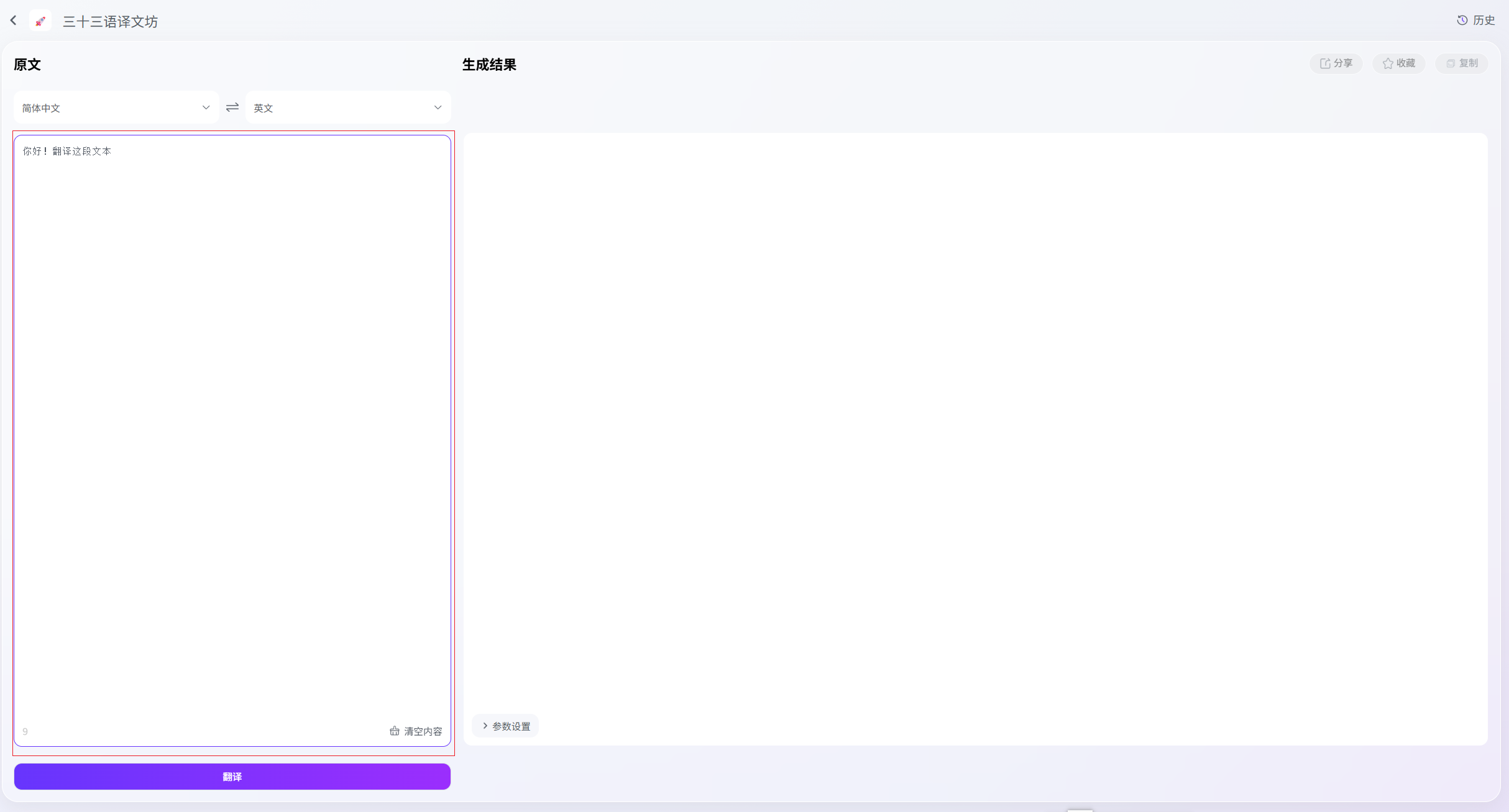
Below the language settings is the text input area.
- Enter Text: Click the input box and directly type the content to be translated using the keyboard.
-
Paste Text: If the text already exists in another document, use the shortcut key (Ctrl+V) to paste the text into the input box.
3.3 Configuring Translation Parameters
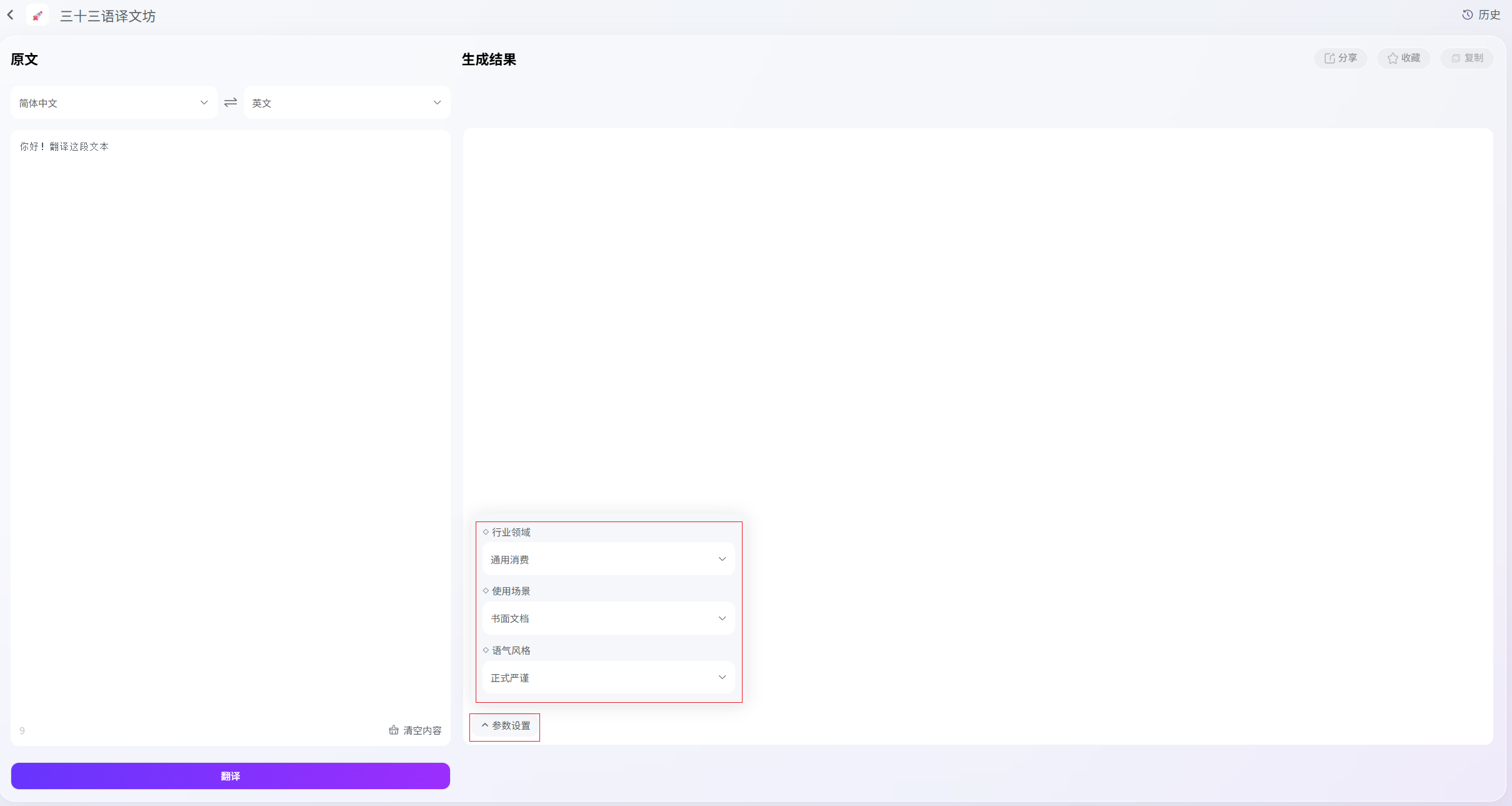
To make the translation better fit your usage needs, the system provides multi-dimensional parameter settings. Please adjust the following options according to the actual situation (default configurations are pre-set for common scenarios):
-
Select Industry Domain
- Operation: Click the "Industry Domain" dropdown menu and select the industry to which the text belongs.
- Options: General Consumer, Technology & Digital, Finance & Business, Education & Training, Industrial Manufacturing.
- Default: The system defaults to selecting General Consumer.
-
Define Usage Scenario
- Operation: Click the "Usage Scenario" dropdown menu and select the primary purpose of the translation.
- Options: Written Documents, Product Introduction, Daily Communication, Marketing Promotion, Technical Specifications.
- Default: The system defaults to selecting Written Documents.
-
Set Tone Style
- Operation: Click the "Tone Style" dropdown menu and select an option from the list.
- Options: Formal and Rigorous, Colloquial and Accessible, Concise and Compact, Professional and Objective, Academic Standard.
- Default: The system defaults to selecting Formal and Rigorous.
3.4 Executing Translation and Viewing Results
After completing the above configuration and input, you can start the translation task.
-
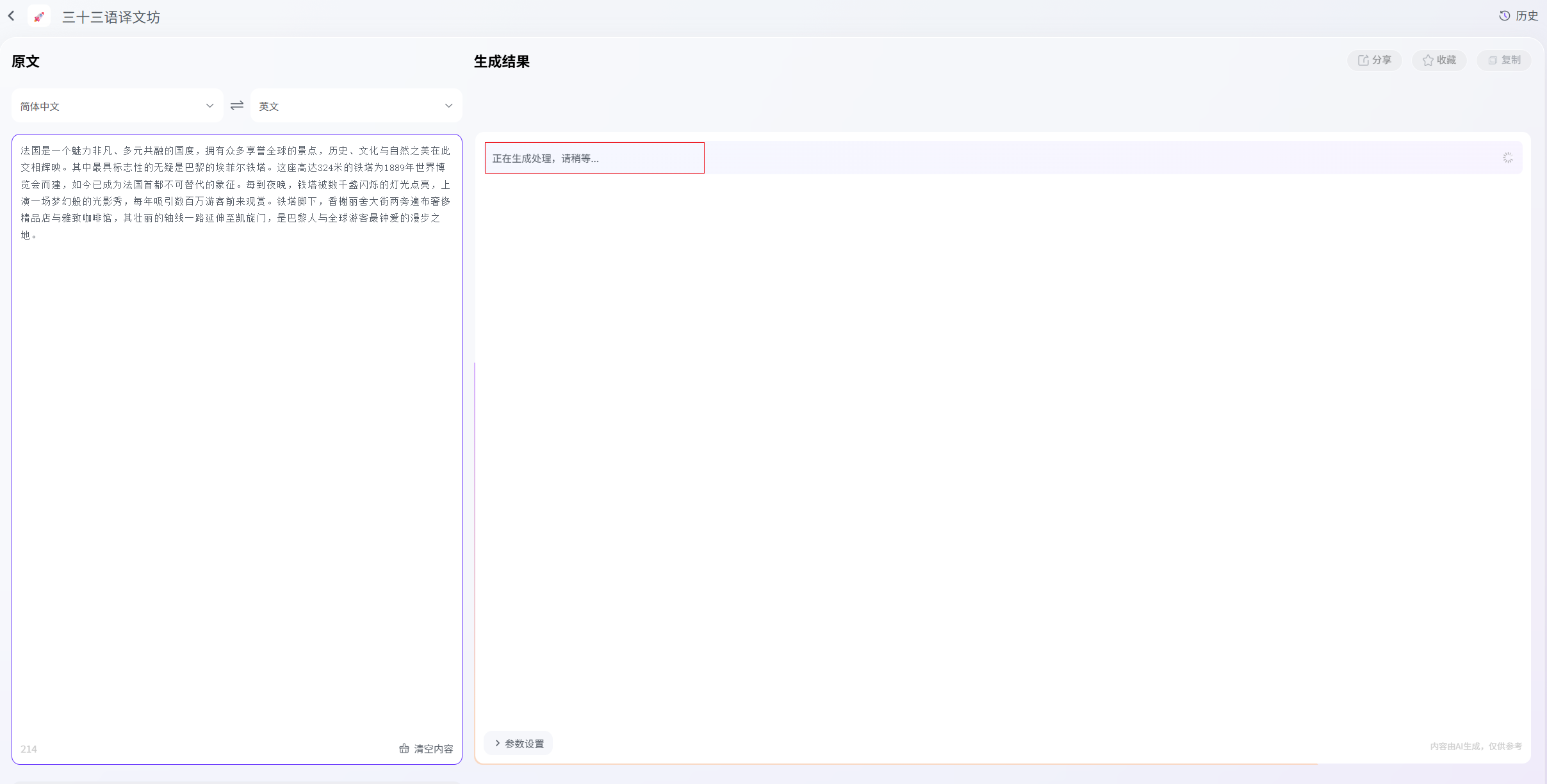
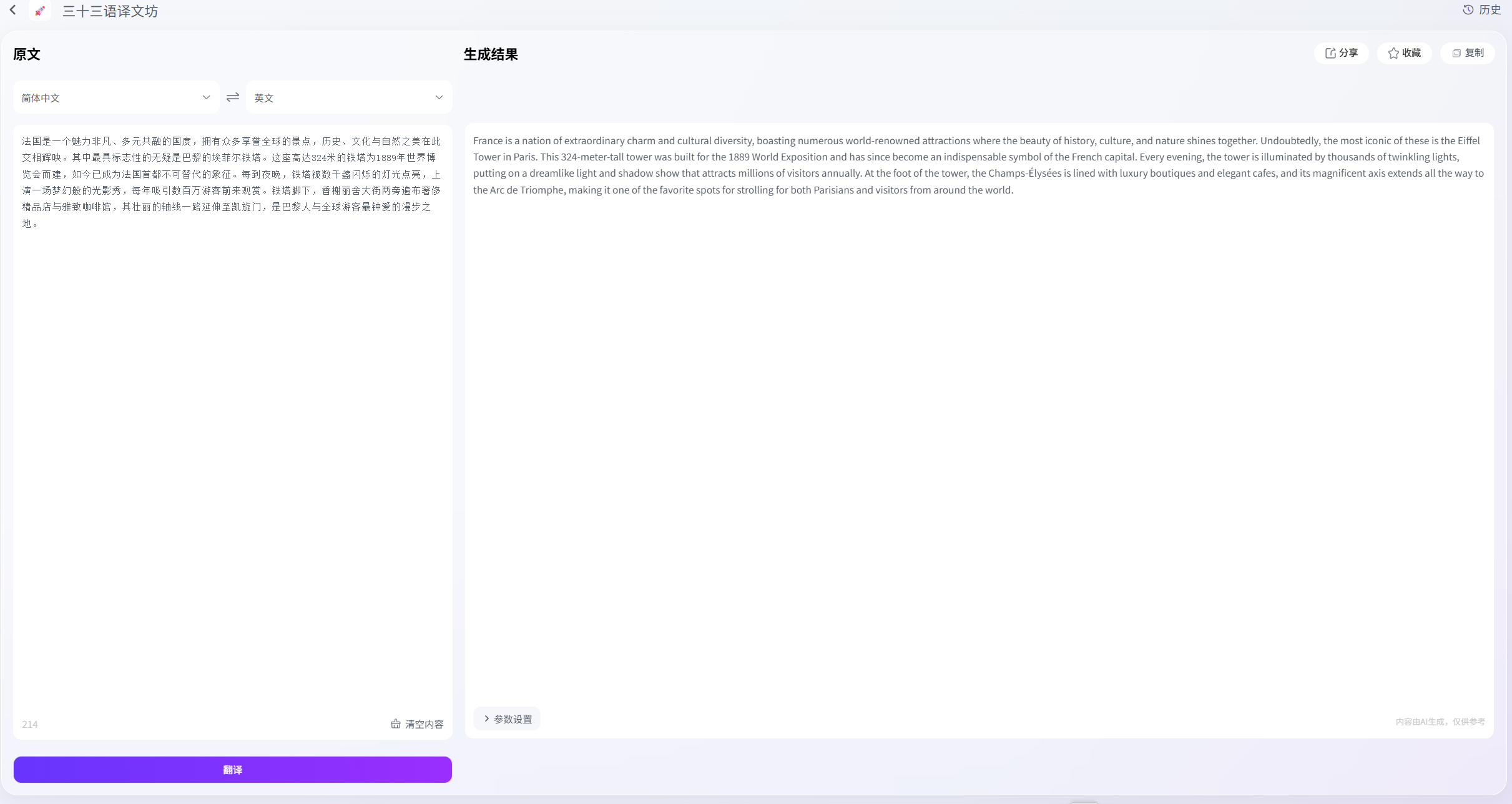
Run Translation: Click the Translate button on the interface. The system will begin processing your request; please wait patiently for the result to be generated.
-
View Translation: Upon completion of the translation, the translated text will be displayed directly in the generation result area.
3.5 Result Management and Sharing
After obtaining the translation results, you can perform subsequent operations as needed:
-
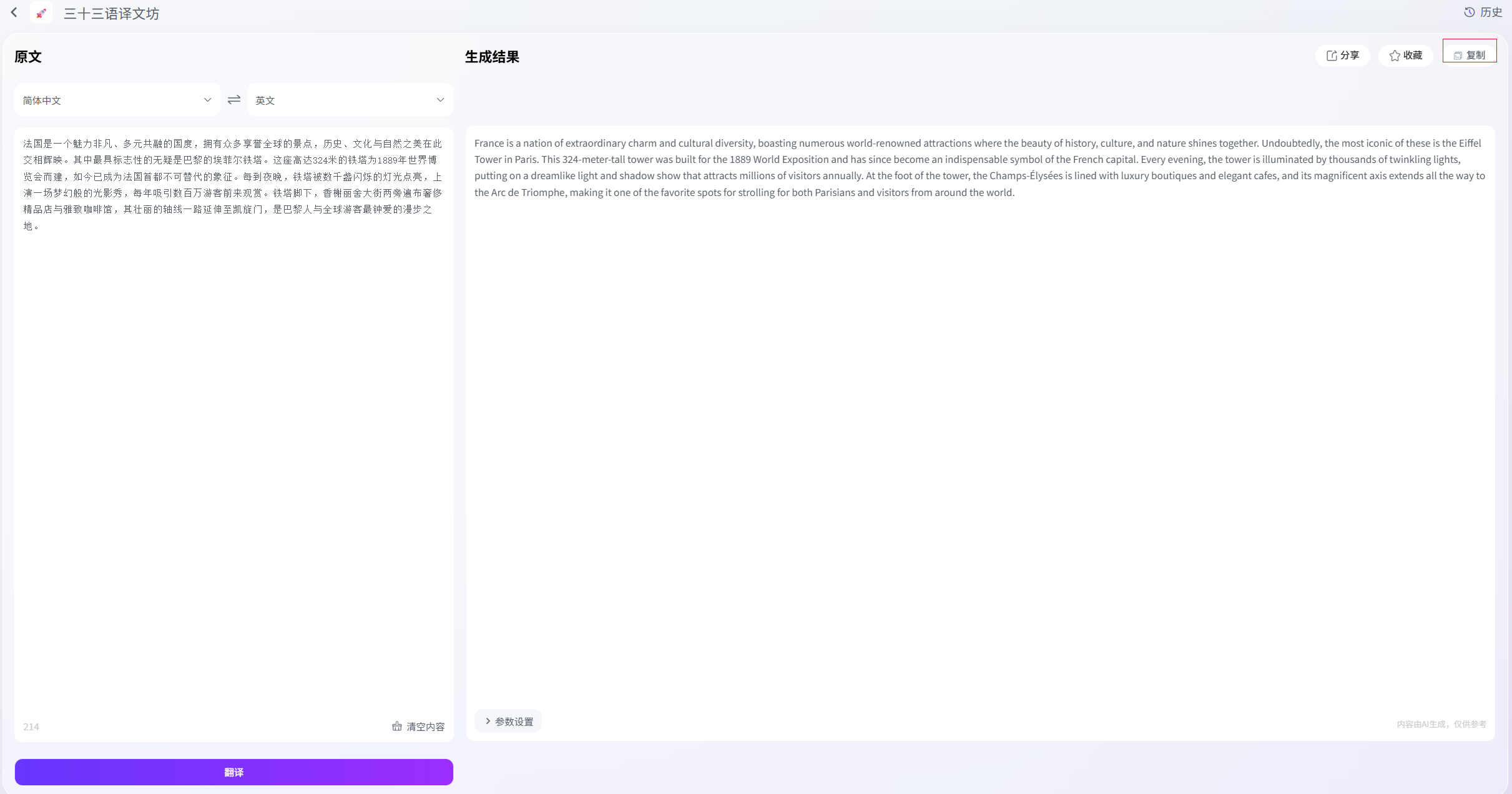
Copy Result: Click the Copy button. The system will automatically copy the translated text to the clipboard, allowing you to paste it into any local document.
-
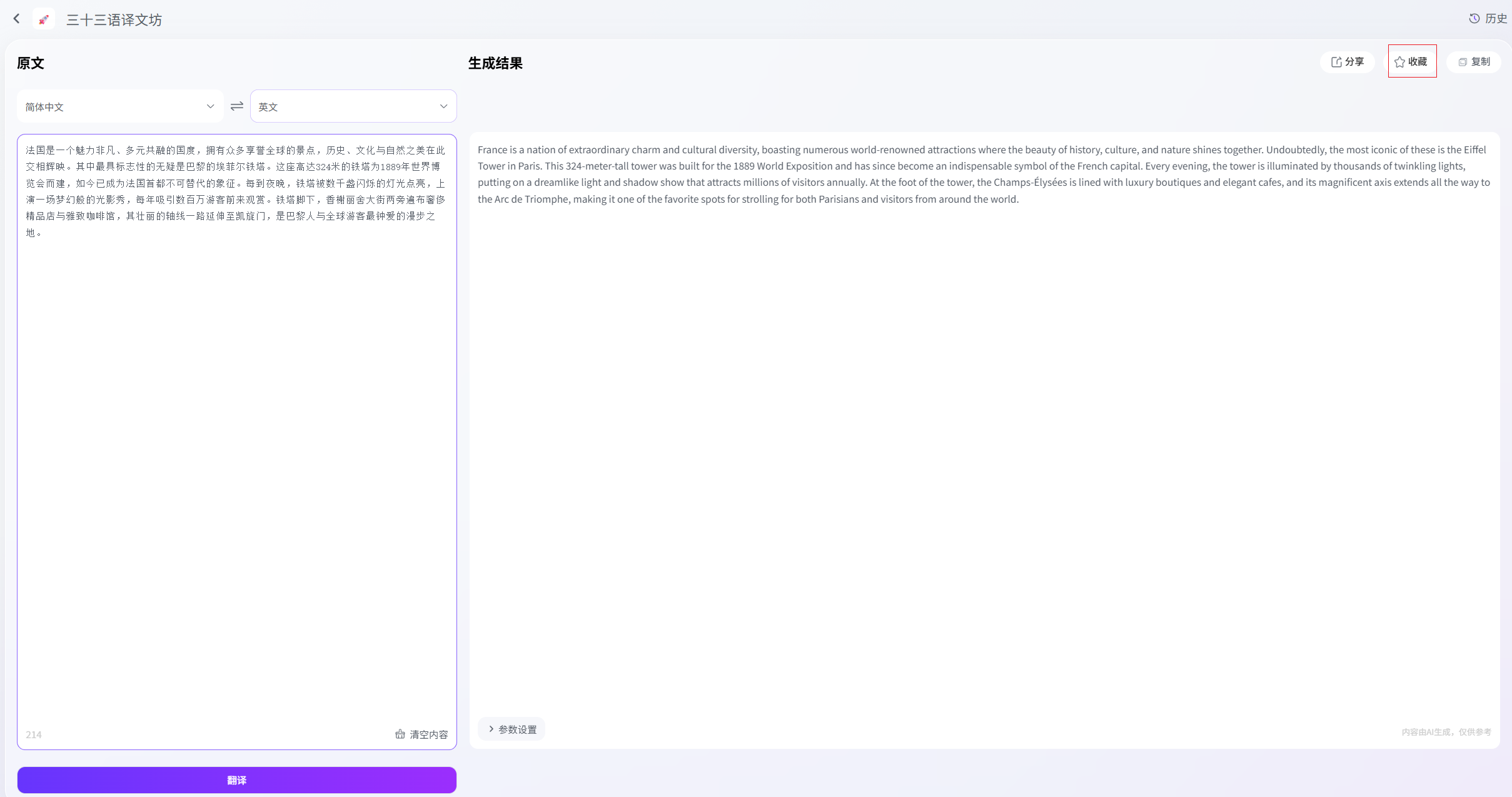
Save Record: Click the Favorite button. The content and result of the current translation task will be saved to the system's History - Favorited list, facilitating easy retrieval and review at any time.
-
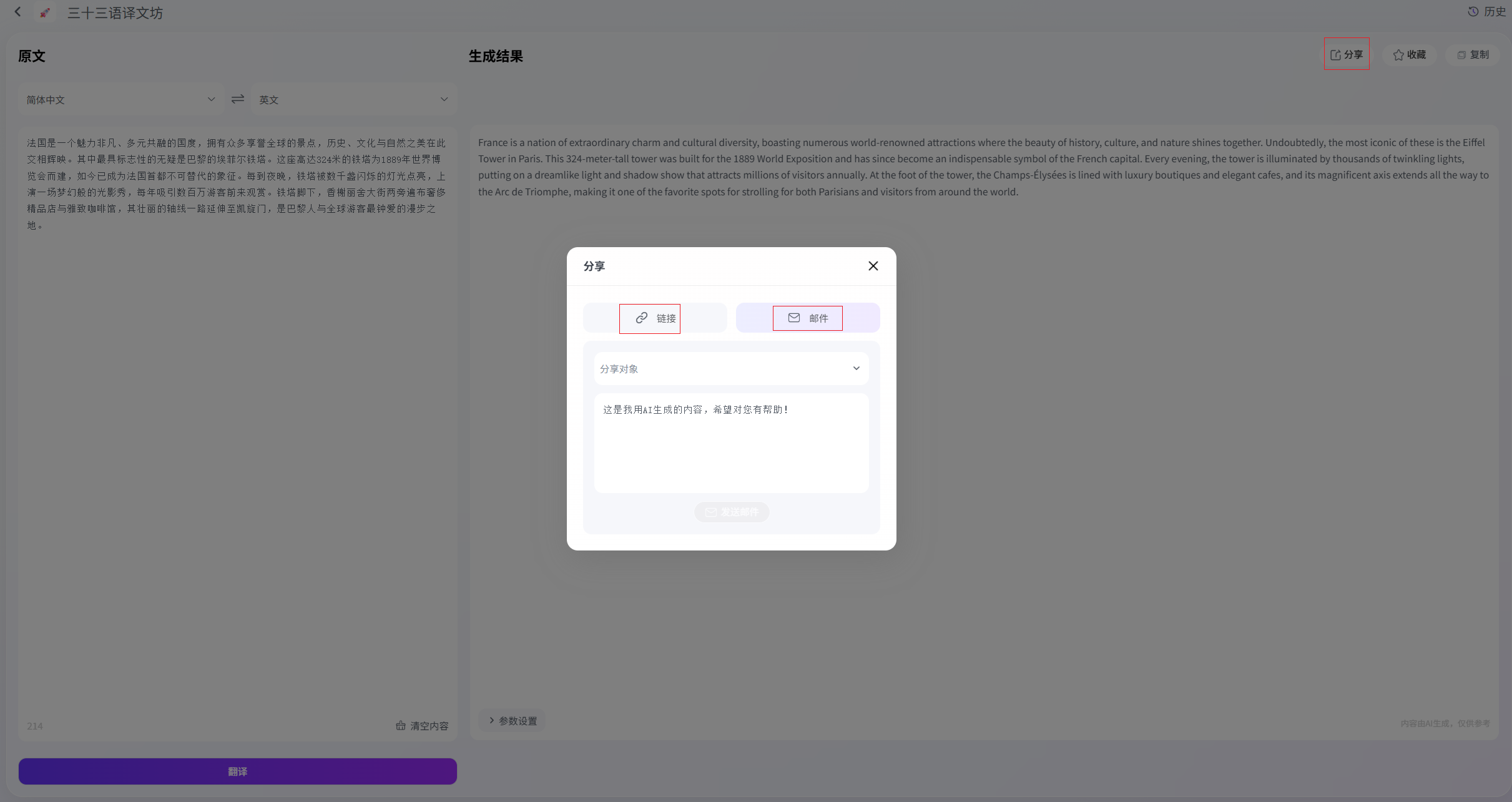
Share Content: Click the Share button, and the system will pop up sharing options. You can choose to generate a Link to send to others, or directly send the translation results to designated contacts via Email.
3.6 Clear and Reset
If you need to start a new translation task, click the Clear Content button. This operation will only clear the text content in the input box and will not change your configured language pairs or parameter settings.
4. Frequently Asked Questions
Q1: How can I confirm whether the system is using the terminology library?
A: The terminology library is disabled by default. The system will only call specialized vocabulary for matching during the translation process after manually enabling the "Terminology Library" switch in the parameter settings area. Once enabled, you will notice a significant improvement in the accuracy of professional term translations.
Q2: What should I do if I am unsatisfied with the tone of the translation result?
A: You can adjust the Tone Style parameter. For instance, if you find the translation too rigid, you can change the style from "Formal and Rigorous" to "Colloquial and Accessible" or "Concise and Compact," and then click the "Translate" button again.
Q3: Where can I view the favorited records?
A: After clicking the "Favorite" button, navigate to the system's History module, select the Favorited category within it, and you will be able to view all saved translation entries.
Q4: Does the system support long-text translation?
A: This system supports text pasting input. However, to achieve the best generation speed and formatting effects, it is recommended to translate extremely long documents chapter by chapter.
Q5: Is there an expiration date for links generated by the sharing function?
A: The validity period of shared links depends on the security policy settings of the system backend. Please save important content locally or to favorites in a timely manner to prevent access issues caused by link expiration.
5. Summary
The [Thirty-Three Language Translation Workshop] provides users with a highly customizable translation environment through its extensive language support (33 international languages + 5 ethnic-Chinese bidirectional translations) and refined parameter control (tone, domain, scenario, terminology library).
This manual covers the complete operational closed loop from language selection, parameter configuration, text input to result management. Mastering the core workflow—"Select Language -> Set Parameters -> Input Text -> Run -> Share/Favorite"—will enable users to efficiently utilize this system to address diverse language conversion needs.