

Air Compressor Warning System -- User Manual
1. Product Overview
This product is an intelligent warning analysis tool specifically designed for the operation and maintenance of industrial air compressor equipment. Its core function lies in automatically identifying abnormal patterns in equipment operation by processing multi-parameter device data. The system can intelligently determine the current health status of the equipment, predict potential failure risks and their time windows, and ultimately generate professional analysis reports. This system aims to assist operations teams in transitioning from "reactive maintenance" to "preventive maintenance," thereby enhancing the precision and efficiency of system operations.
2. Preliminary Preparations
Before commencing the use of this system for warning analysis, please ensure that the following preparatory tasks have been completed:
-
Data File Preparation:
- Please prepare data files containing air compressor operating parameters.
- Although the system supports various formats (such as
doc,docx,xls,xlsx,pdf,md,txt,html), to achieve optimal analysis accuracy, it is strongly recommended to upload CSV files or Excel spreadsheets containing complete time-series data. - Data should include key monitoring parameters such as discharge temperature, pressure, vibration values, current, etc.
-
Network Environment:
- Ensure your network connection is stable to facilitate smooth file uploads and the loading of analysis results.
-
Clarification of Analysis Objectives:
- It is advisable to clarify the focus of this analysis prior to uploading (e.g., focusing on anomalies during a specific period or predicting the remaining useful life of a specific component) so that these details can be entered in the "Analysis Requirements" section.
3. Operational Procedures
The operational workflow of this system follows the logic of "Data Input -> Parameter Configuration -> Task Execution -> Result Application." Please proceed according to the following steps:
3.1 Uploading IoT Table Data
Uploading data is the first step in the analysis process and is mandatory.
-
Locate Upload Area: Enter the main interface and locate the "IoT Table Data Upload Area" situated at the top of the page.

-
Execute Upload: You may choose one of the following methods:
- Click to Upload: Click the upload button, locate your data file in the pop-up file selection window, and confirm.
- Drag and Drop: Directly drag the file from your local folder into the dashed box within the upload area.
-
File Format Confirmation: The system supports multiple formats including
doc,docx,xls,xlsx,pdf,md,txt,html, and others. -
File Management:
- Upon successful upload, the filename will be displayed in the area.
- If a file is uploaded by mistake, click the "Delete" button next to the file to remove the current file and re-upload.

Note: If no file is uploaded, the system will not permit the initiation of the analysis task.
3.2 Filling in Analysis Requirements (Optional)
This step guides the system to perform model calculations with greater precision. Although this field is optional, entering specific instructions helps obtain prediction results that better align with business scenarios.
Operation Method: In the "Analysis Requirements" text box, enter your specific analysis requests.

Examples of [Analysis Requirements] Entry:
For air compressor warning scenarios, you may refer to the following examples for input:
-
Example 1 (Targeting Specific Components):
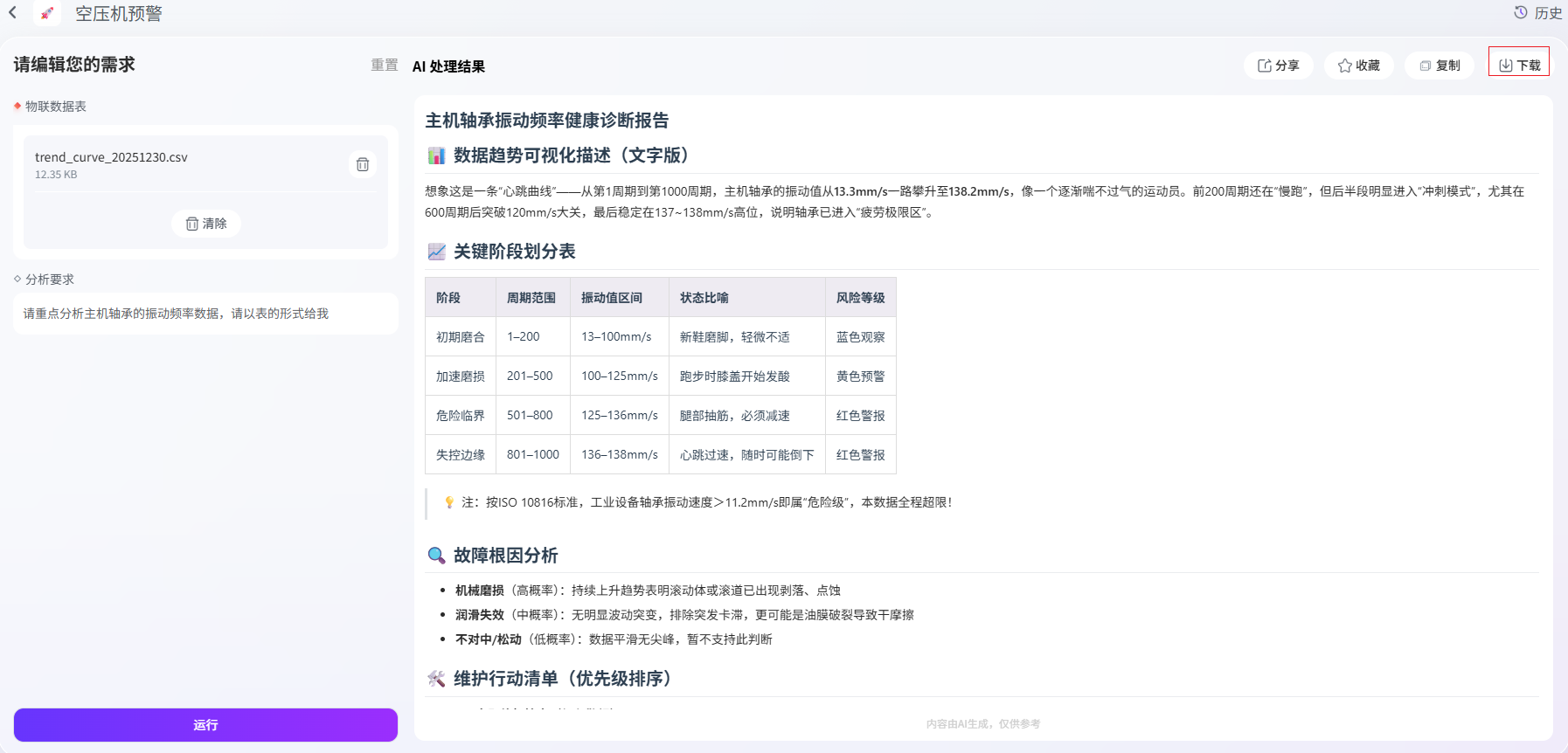
"Please prioritize the analysis of vibration frequency data for the main motor bearings to identify signs of early wear and predict the probability of failure within the next 48 hours."
-
Example 2 (Targeting Overall Trends):
"Compare discharge temperature and pressure data from the past week against the same period last year to identify performance degradation trends and assess the health score."
-
Example 3 (Targeting Threshold Alarms):
"Focus on peak current values during the loading phase; if they exceed 110% of the rated value, mark them as high-risk items in the report and provide maintenance priorities."
3.3 Reset and Run
After configuring the aforementioned information, you may decide to either initiate the analysis or reset the page.
-
Reset: If you wish to start over or clear all inputs, click the Reset button. The page will revert to its initial default state, clearing any uploaded files and entered text.

-
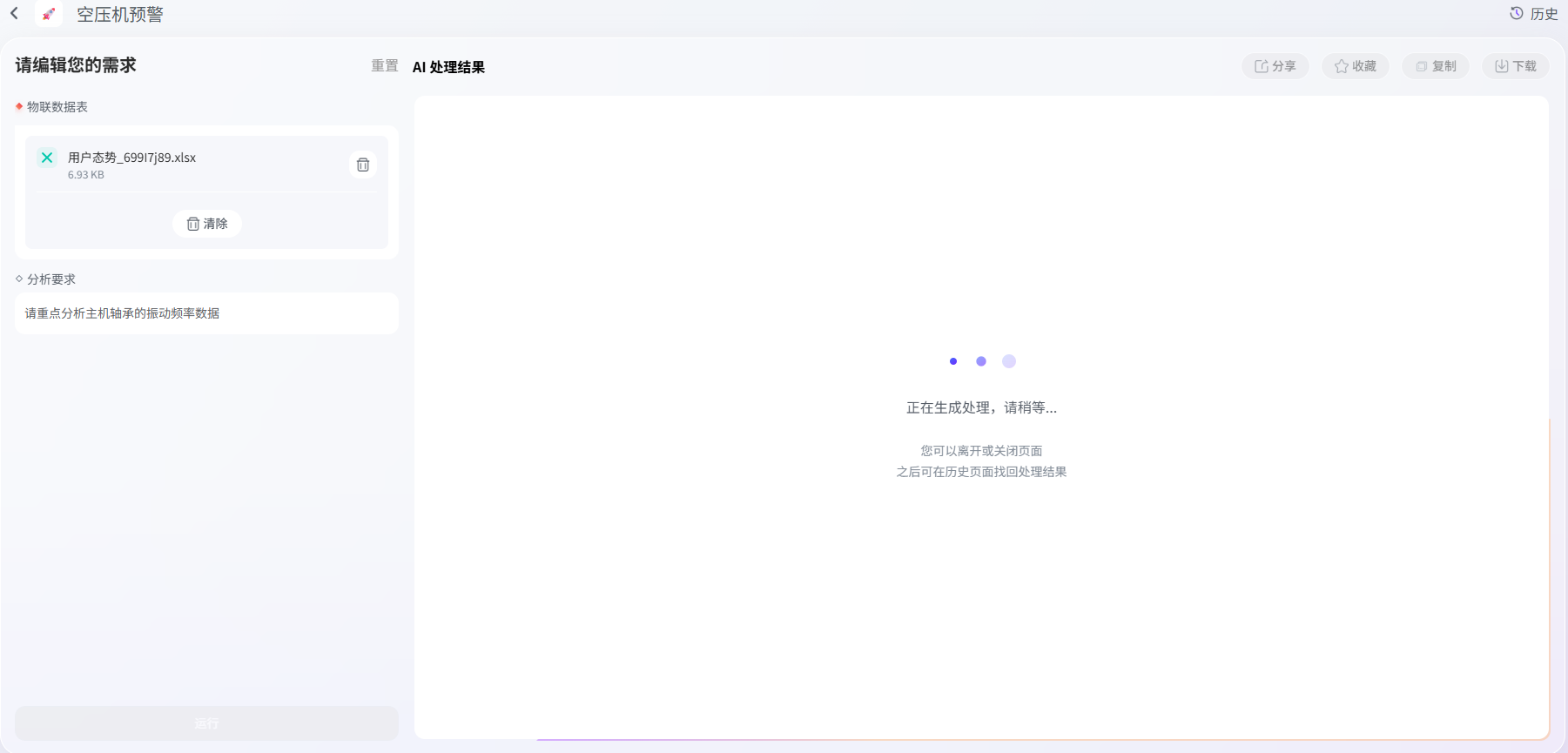
Run: After confirming the information is correct, click the "Run" button.
- The system will begin executing the analysis task; please keep the page open during this process.
- The AI Processing Results area will display "Generating processing, please wait..." Please wait a moment until the results are automatically generated.
3.4 Viewing and Handling Results
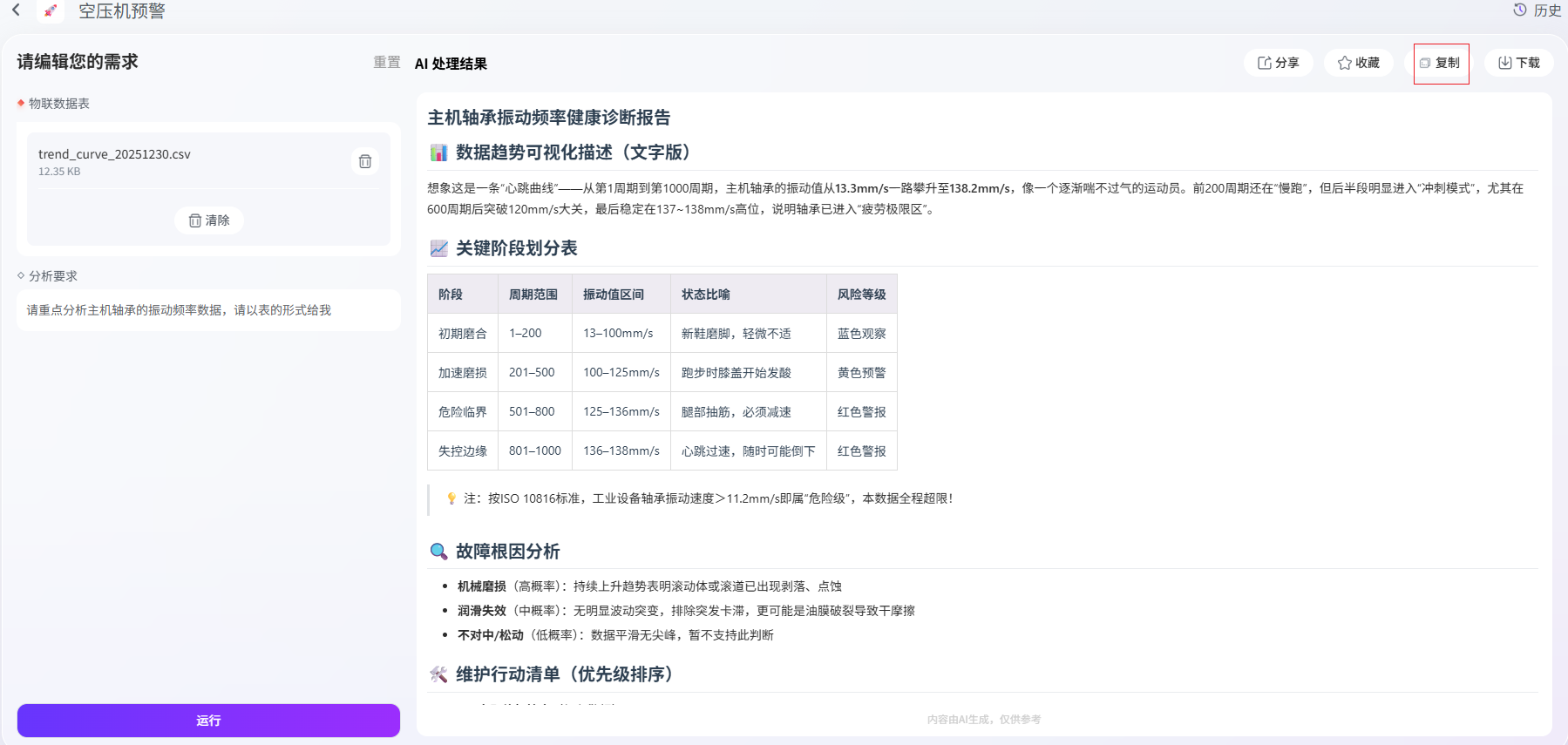
Upon completion of the analysis, the system will present a detailed warning report. You can preview this in the AI Generated Results area. You may perform the following actions on the results:
3.4.1 Copy Content
Click the "Copy" button, and the system will copy the generated analysis results in plain text format to your clipboard. You may subsequently paste this content into local documents or reports for use.
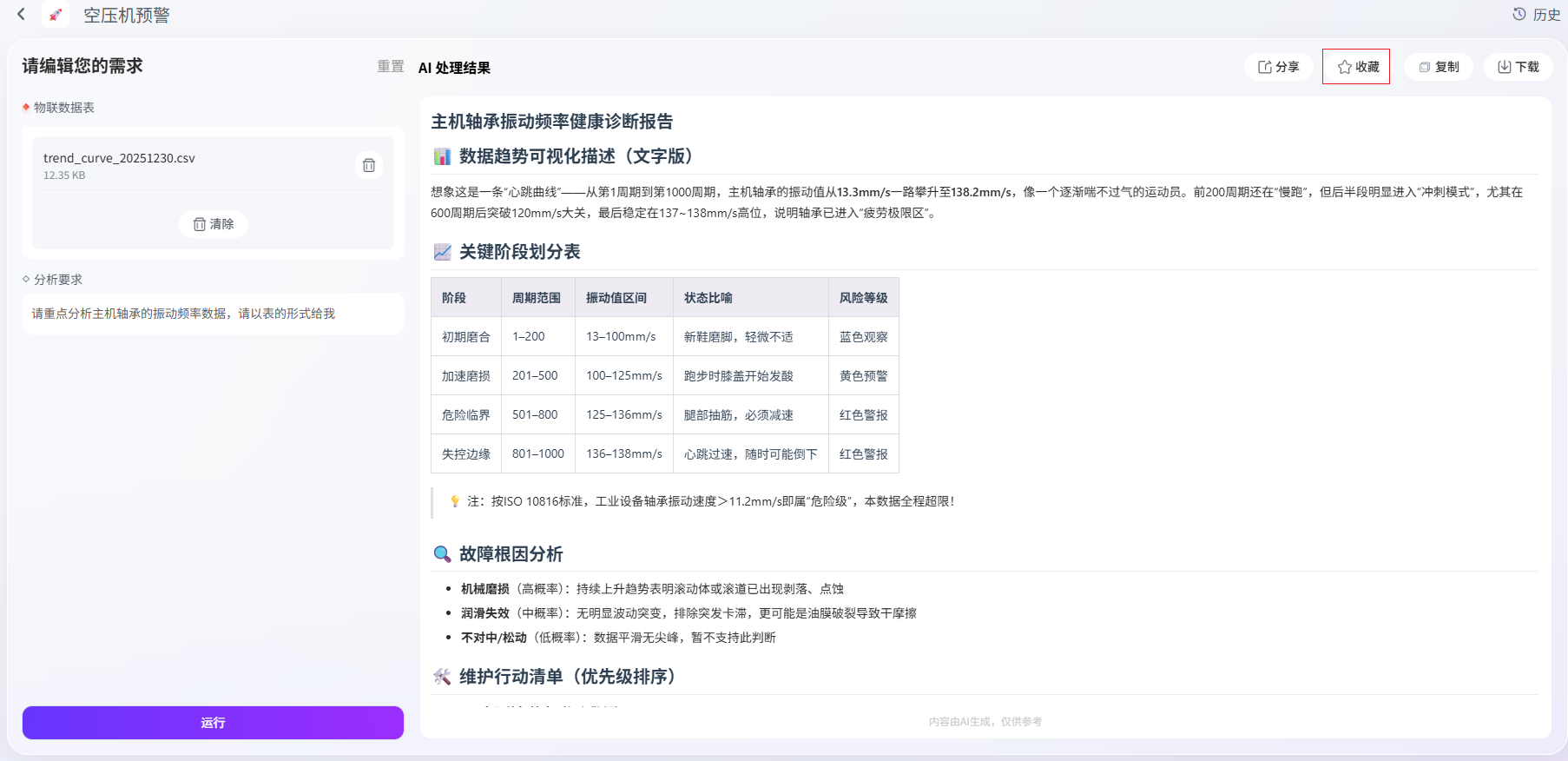
3.4.2 Save Record
If this analysis record holds significant reference value, click the Save button.
- Once saved, you can quickly locate this record in the system's "History - Saved" module, facilitating subsequent tracking or comparison.
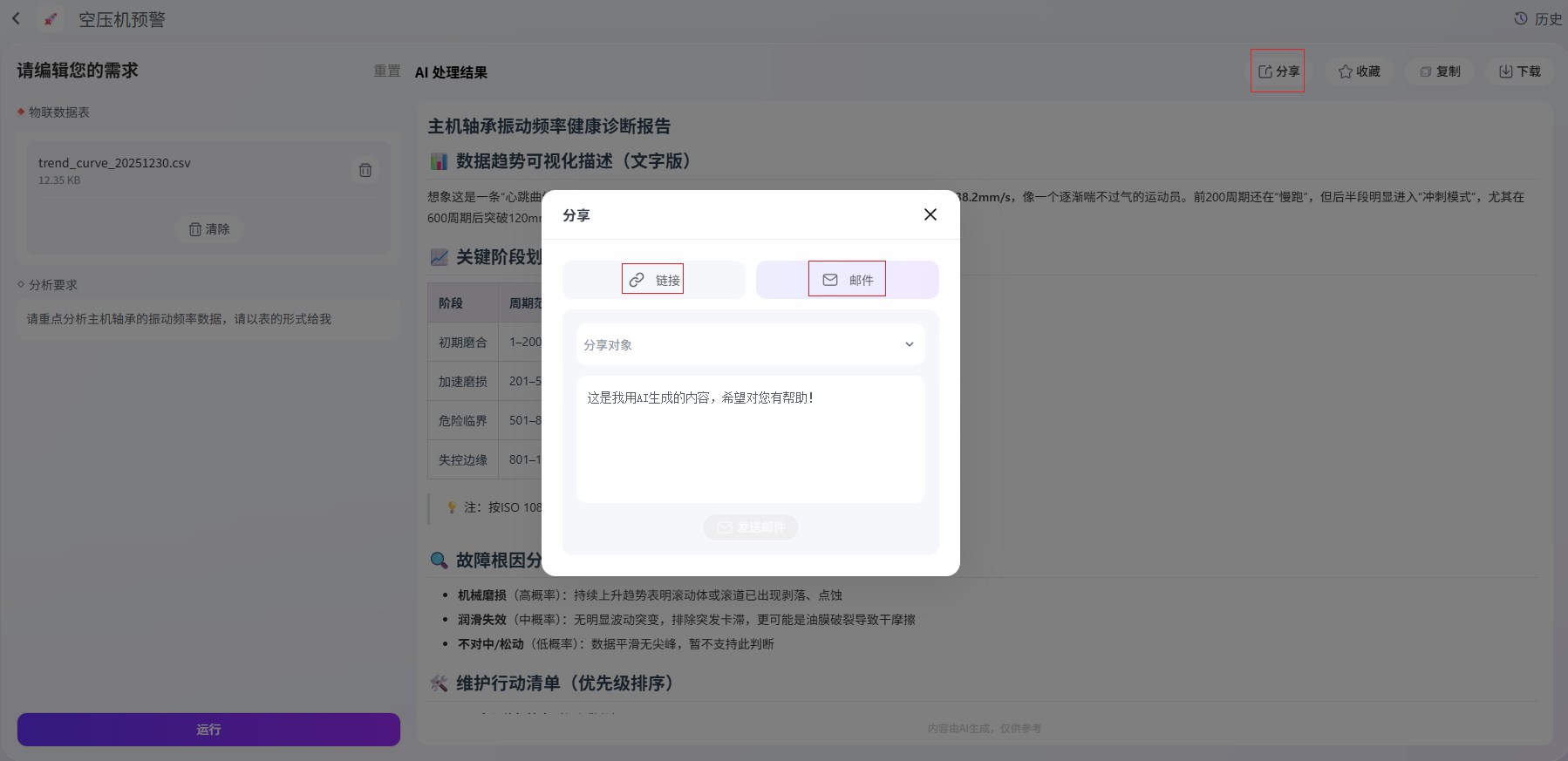
3.4.3 Share Results
To facilitate team collaboration, you may share the analysis results with colleagues. Click the Share button and select the sharing method according to the system prompts:
- Link Sharing: Generate a unique link and send it to personnel with system access permissions.
- Email Sharing: Select the recipient(s) from the list, and the system will automatically send the report link to their email address.
3.4.4 Download Report
Click the Download button. The system will download the analysis results as a text file to your local device, facilitating offline archiving.
4. Frequently Asked Questions
Q1: Why does the system prompt an error after clicking Run?
A1: Please confirm whether the uploaded file format is within the supported list (doc, docx, xls, xlsx, pdf, md, txt, html) and that the file is not corrupted.
Q2: Can the system understand natural language entered in "Analysis Requirements"?
A2: Yes. The system possesses natural language processing capabilities and can extract key parameters and analysis objectives from your descriptive input. It is recommended to refer to the examples in the operational procedures and use clear, explicit instructions.
Q3: Will the system still run if I do not fill in "Analysis Requirements"?
A3: Yes. This option is optional. If left blank, the system will rely on a default general algorithmic model to perform anomaly identification and evaluation on the full dataset, still generating a complete analysis report.
Q4: How do I find previously generated reports?
A4: You can directly click the Save button on the current page to save to Saved. Alternatively, if not saved, please navigate to the History module to review recent operation records.
Q5: What content is included in the generated report?
A5: The report typically includes descriptions of equipment anomaly patterns (such as abnormal temperature increases), failure risk levels, and predicted time windows for failure occurrence. Additionally, the system will provide specific maintenance recommendations based on priority.
5. Summary
This system provides robust data support for the operation and maintenance of air compressor equipment through convenient file uploading and an intelligent analysis engine. Users need only simply upload data and input their points of interest to obtain in-depth fault warnings and health assessments. Mastering the techniques for filling out "Analysis Requirements" will further enhance the instructional value of the reports. Furthermore, team collaboration efficiency will be significantly improved through the sharing and saving functions. Please make full use of this system to ensure the stable operation of your equipment.