

Reasonableness Review of Quotations -- User Manual
1. Product Overview
The Reasonableness Review of Quotations System is an intelligent tool for IT service quotation analysis, specifically designed for your needs. This system is dedicated to addressing the pain points of information asymmetry and pricing opacity in IT procurement and project evaluation. By conducting multi-dimensional and penetrative reasonableness analysis on software project quotations, the system can generate a structured and actionable review report with a single click, based on key perspectives such as cost structure, market benchmarks, scope alignment, and risk clauses.
With this system, you can accurately identify price traps, optimize budget allocation, assist in scientific decision-making, and ensure that every unit of IT budget is spent effectively.
2. Preliminary Preparation
Before using this system for review, please ensure that you have completed the following preparations to guarantee the accuracy and smoothness of the review:
-
Data Organization: Prepare the quotation documents pending review. Supported file formats include:
- Documents:
.doc,.docx,.pdf,.md,.txt,.html - Spreadsheets:
.xls,.xlsx
- Documents:
- Data Clarification: If you choose to input text instead of uploading files, please copy the core content of the quotation in advance. Additionally, organize the core mandatory items of concern for this review (e.g., specific development languages, maintenance duration, specific functional modules, etc.).
3. Operational Procedures
The operational procedure of this system is designed to be concise and intuitive, primarily divided into four stages: "Data Entry," "Execution of Review," "Result Processing," and "System Reset."
3.1 Data Entry
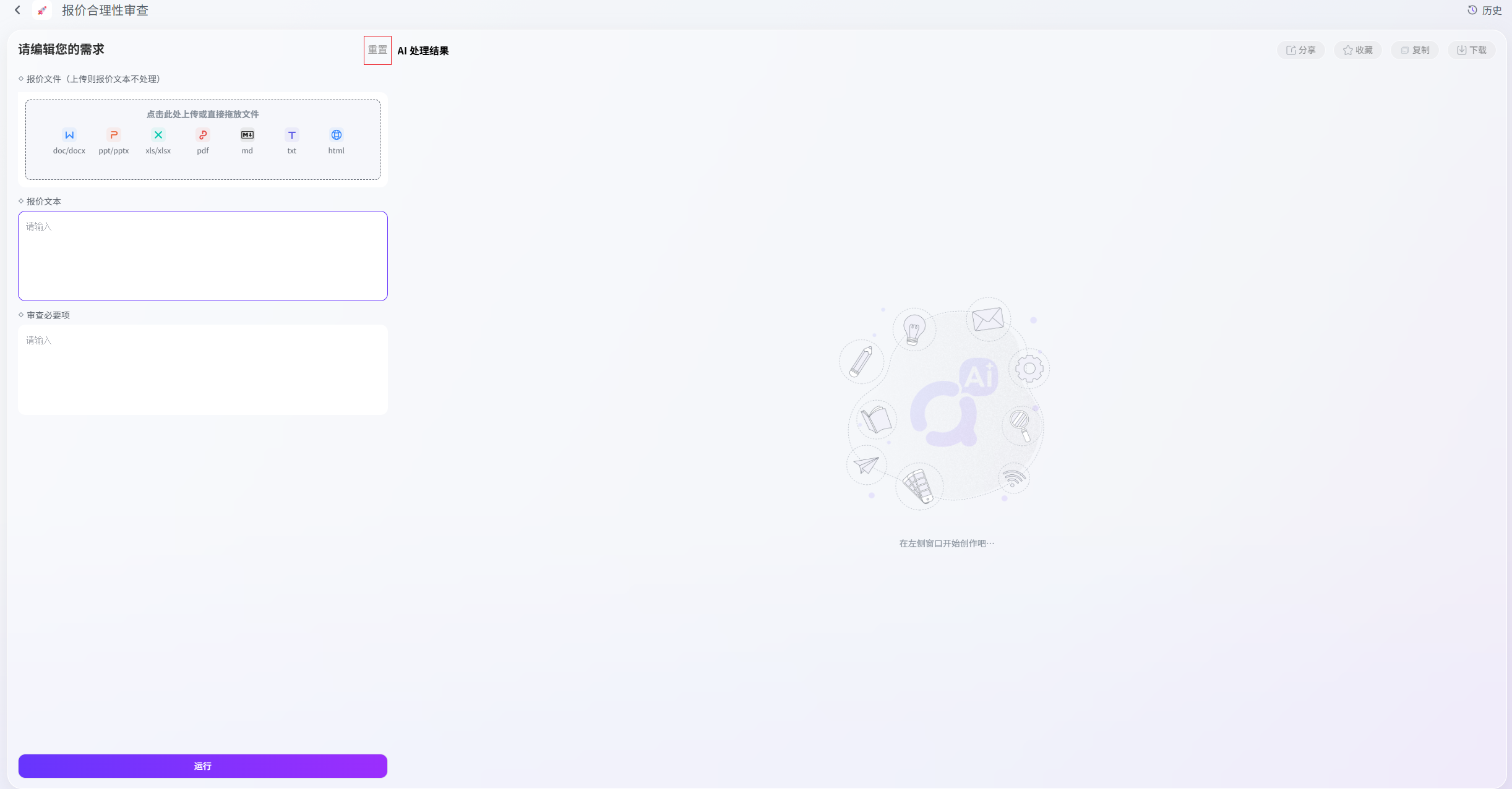
The system provides two data input methods: File Upload and Text Input.
Method One: Uploading Quotation Files
This is the recommended method, as the system will automatically parse the file content.
-
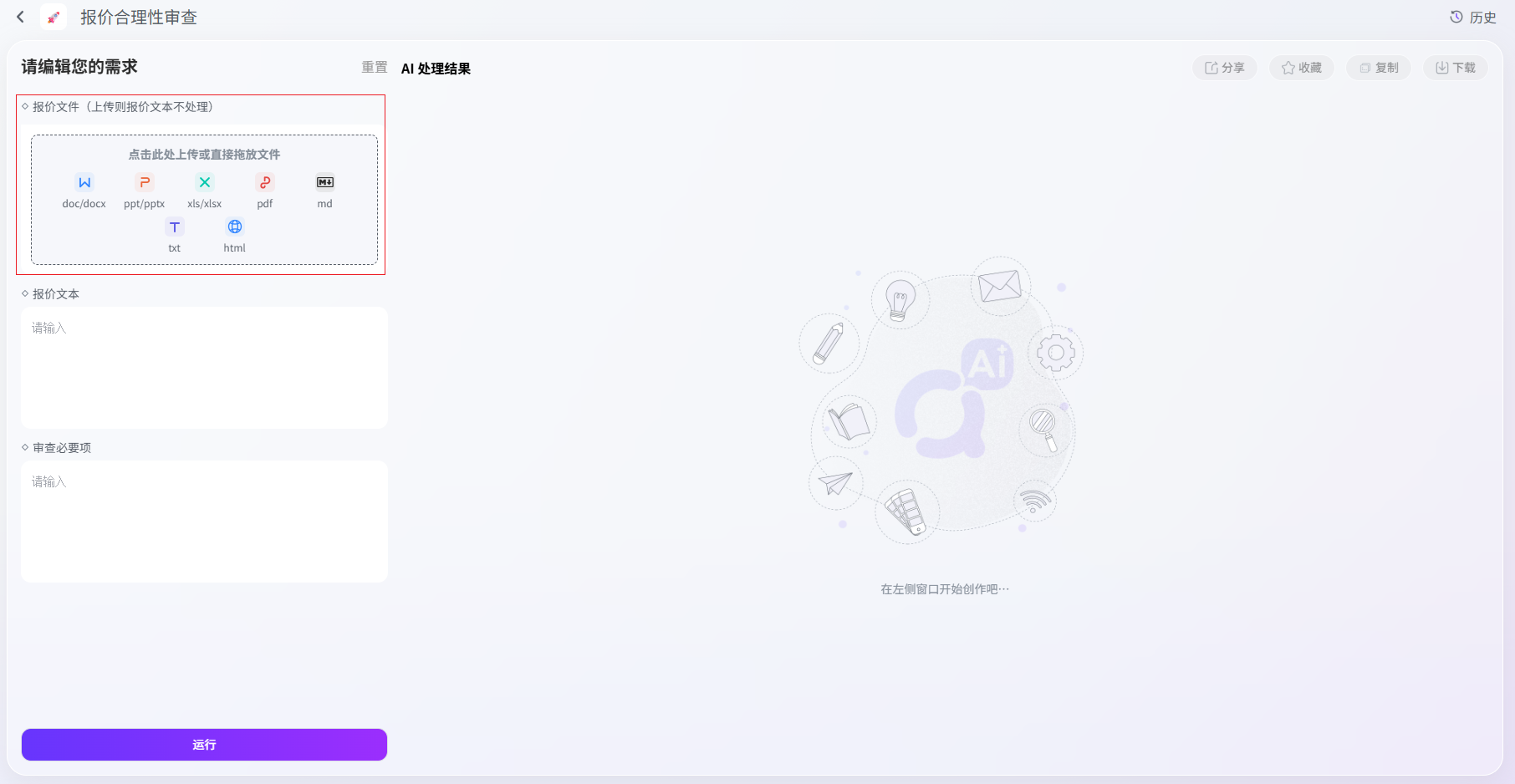
Locate the quotation file upload area on the operation interface.
-
Click to Upload: Click the "Select File" button, select the target file in the pop-up file browser window, and confirm.
- Alternatively, Drag and Drop: Directly drag local files into the dashed upload box.
-
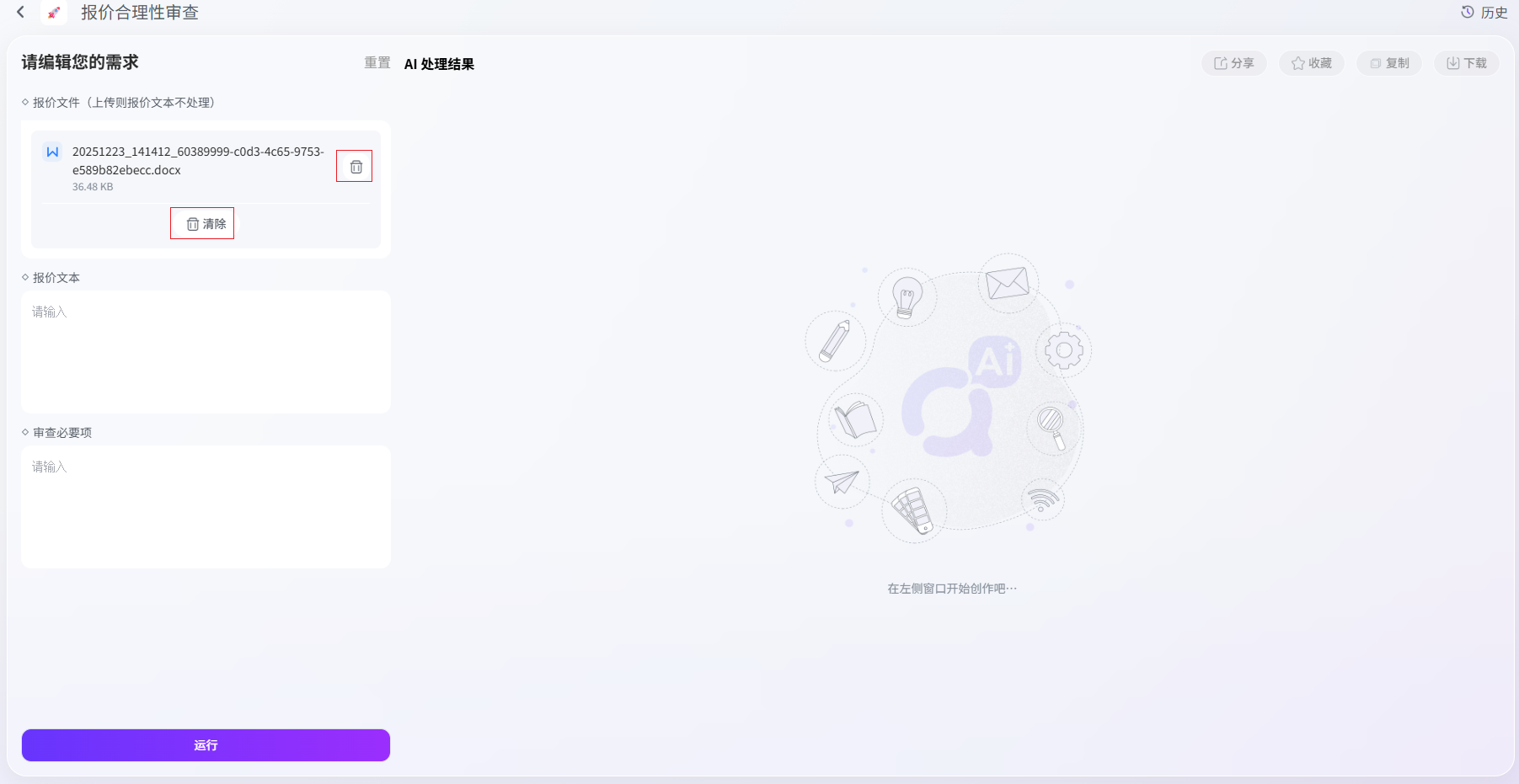
The system automatically identifies the file format. If the format is supported, the filename will be displayed in the list.
- Note: If an incorrect file is uploaded, click the "Delete" button next to the file to remove it.
Method Two: Inputting Quotation Text
If you do not have existing files or only wish to analyze specific parts, manual input is available.
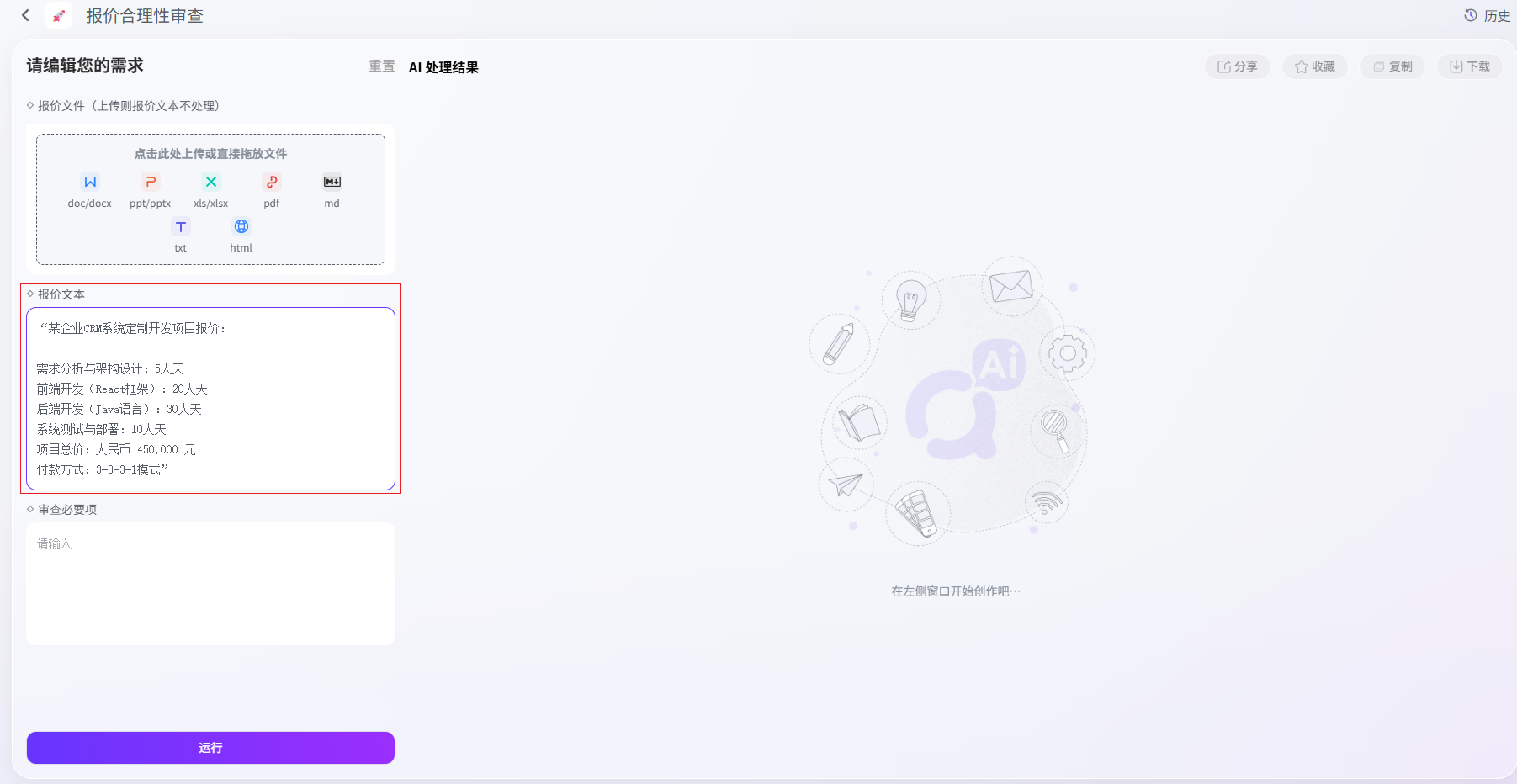
- In the Quotation Text input field, paste or enter the relevant quotation content.
-
Important Logic Explanation:
- If Method One (File Upload) has been used, the system will prioritize processing the uploaded file by default; the quotation text entered here will not be processed.
- The system will only read and analyze the text content here if no files have been uploaded.
[Quotation Text Example]
"Quotation for a customized CRM system development project for a certain enterprise:
- Requirement Analysis and Architecture Design: 5 person-days
- Front-end Development (React Framework): 20 person-days
- Back-end Development (Java Language): 30 person-days
- System Testing and Deployment: 10 person-days
- Total Project Price: RMB 450,000
- Payment Terms: 3-3-3-1 model"
3.2 Setting Review Mandatory Items
To make the review report more targeted, you need to inform the system of the key areas of focus for this review.
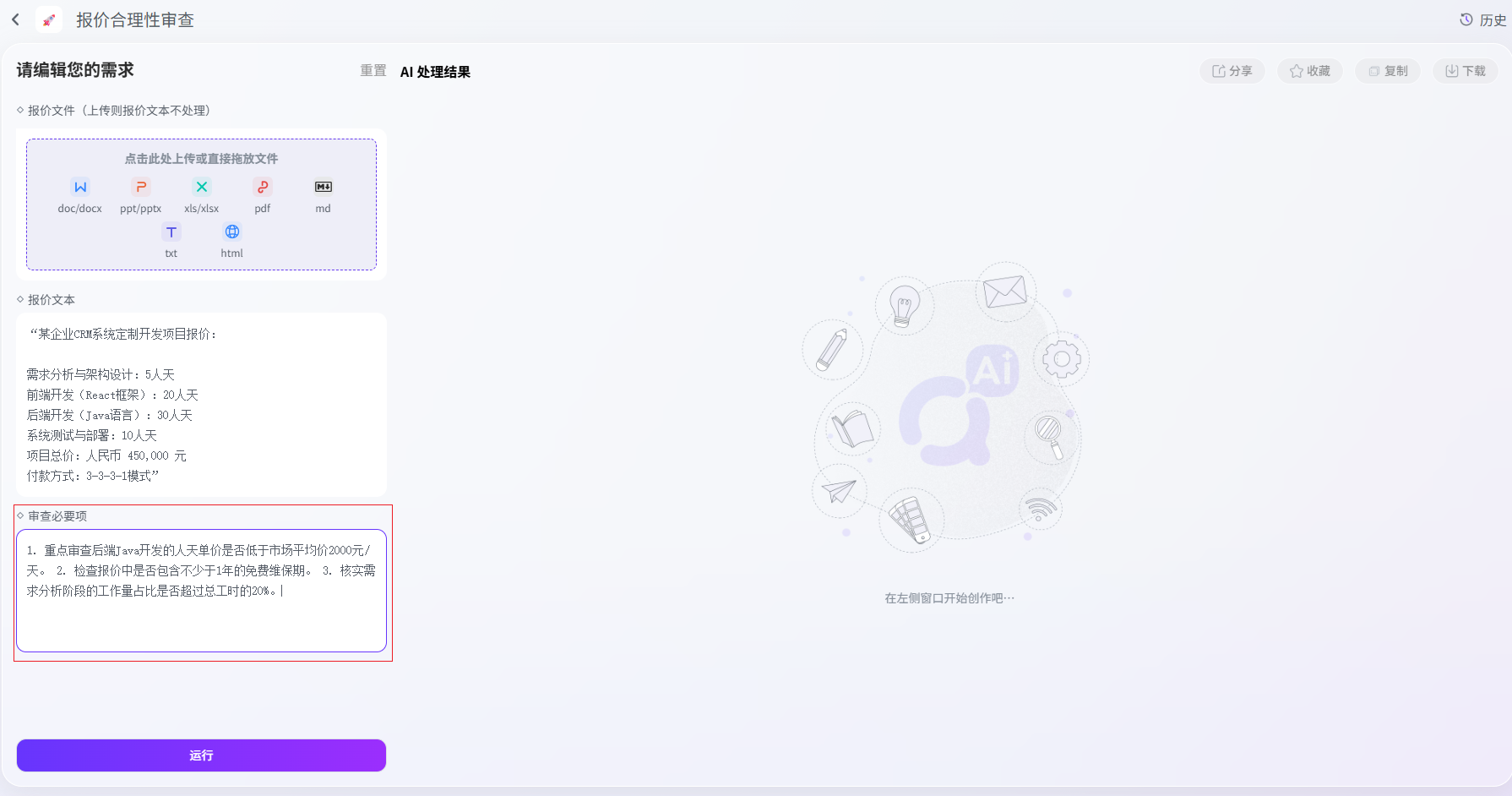
- In the Review Mandatory Items input field, fill in your specific requirements or points of interest.
- Support for inputting multiple dimensions, such as specific technology stacks, delivery standards, or budget ceilings.
[Review Mandatory Items Example]
"1. Focus on reviewing whether the unit price per person-day for back-end Java development is lower than the market average of 2,000 RMB/day. 2. Check whether the quotation includes a free maintenance period of no less than one year. 3. Verify whether the workload proportion of the requirement analysis phase exceeds 20% of the total working hours."
3.3 Running the Review
After completing data entry and setting mandatory items, you can initiate the analysis.
- After confirming that the information is correct, click the Run button at the bottom of the page.
- The system will immediately start executing the task, and the interface will display a prompt status of "Generating processing..."
- Please wait briefly; the system will analyze the input data based on the built-in model.
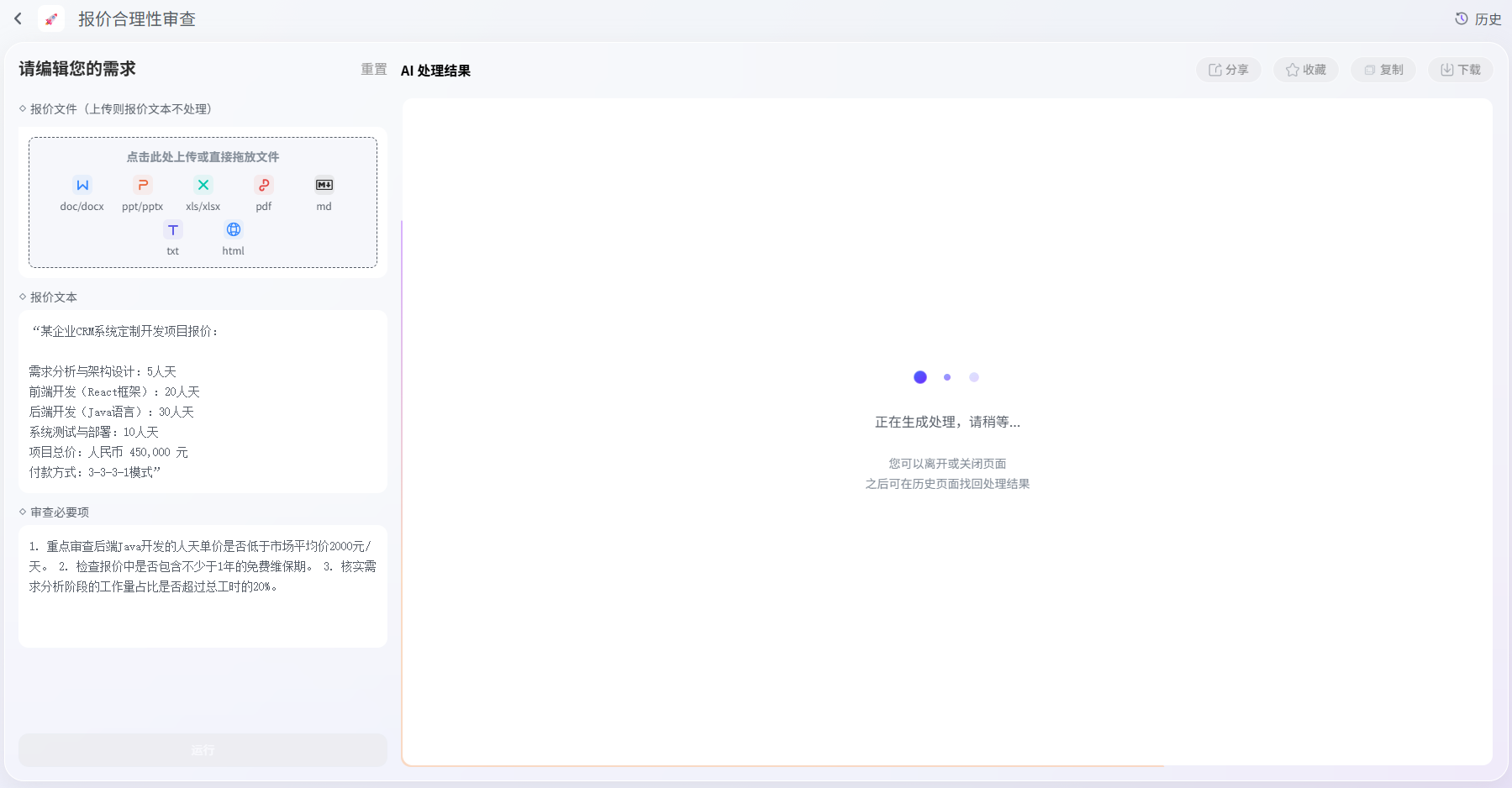
3.4 Result Viewing and Processing
Upon completion of the analysis, the system will generate a detailed review report. You can perform the following operations on the results:
-
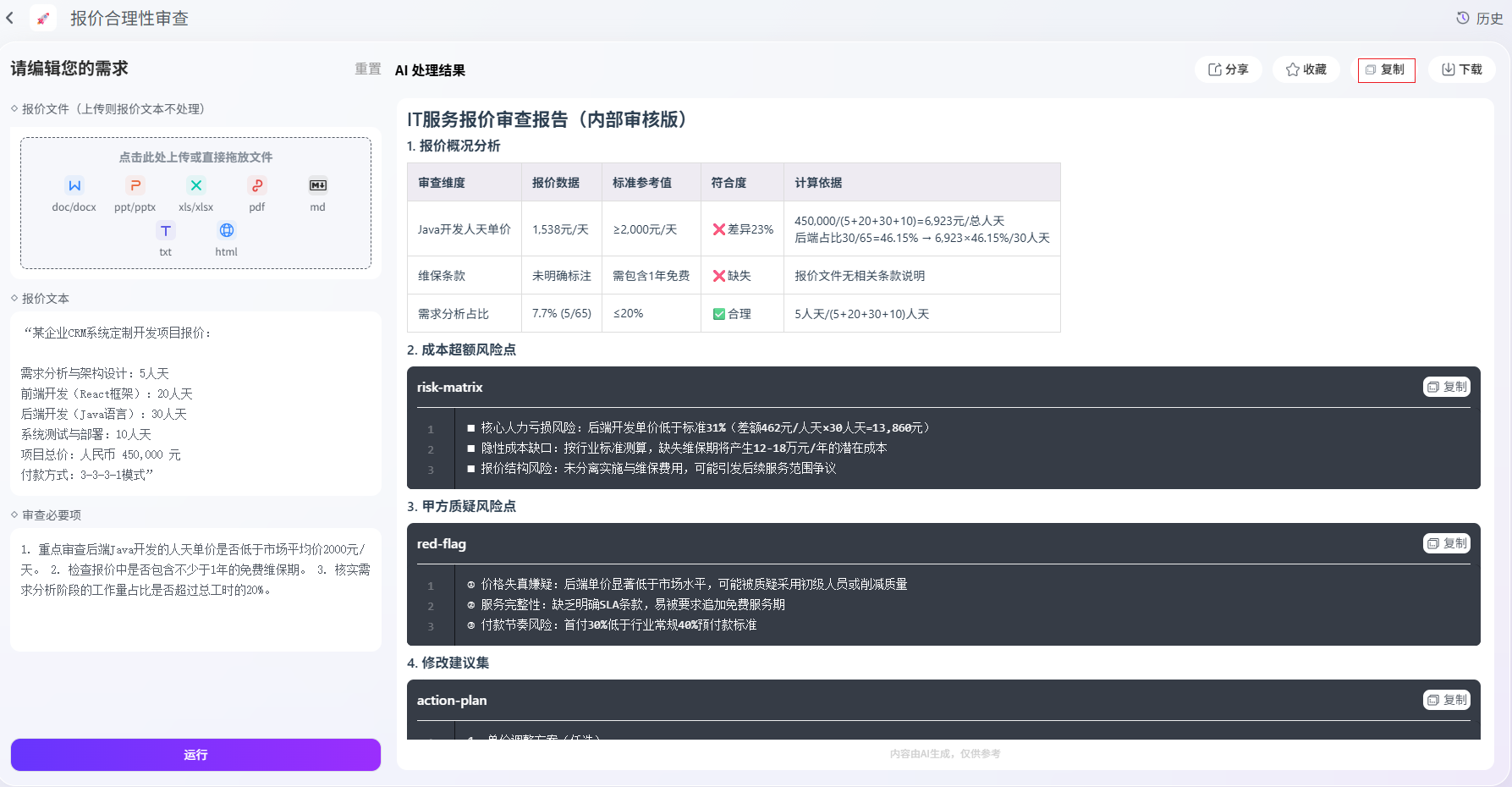
View Report: View the structured report containing cost structure, market comparison, risk warnings, and other content in the AI Processing Results area.
-
Copy Results: Click the Copy button. The system will convert the generated report content into plain text format and copy it to your clipboard, facilitating pasting into local documents or communication software.
-
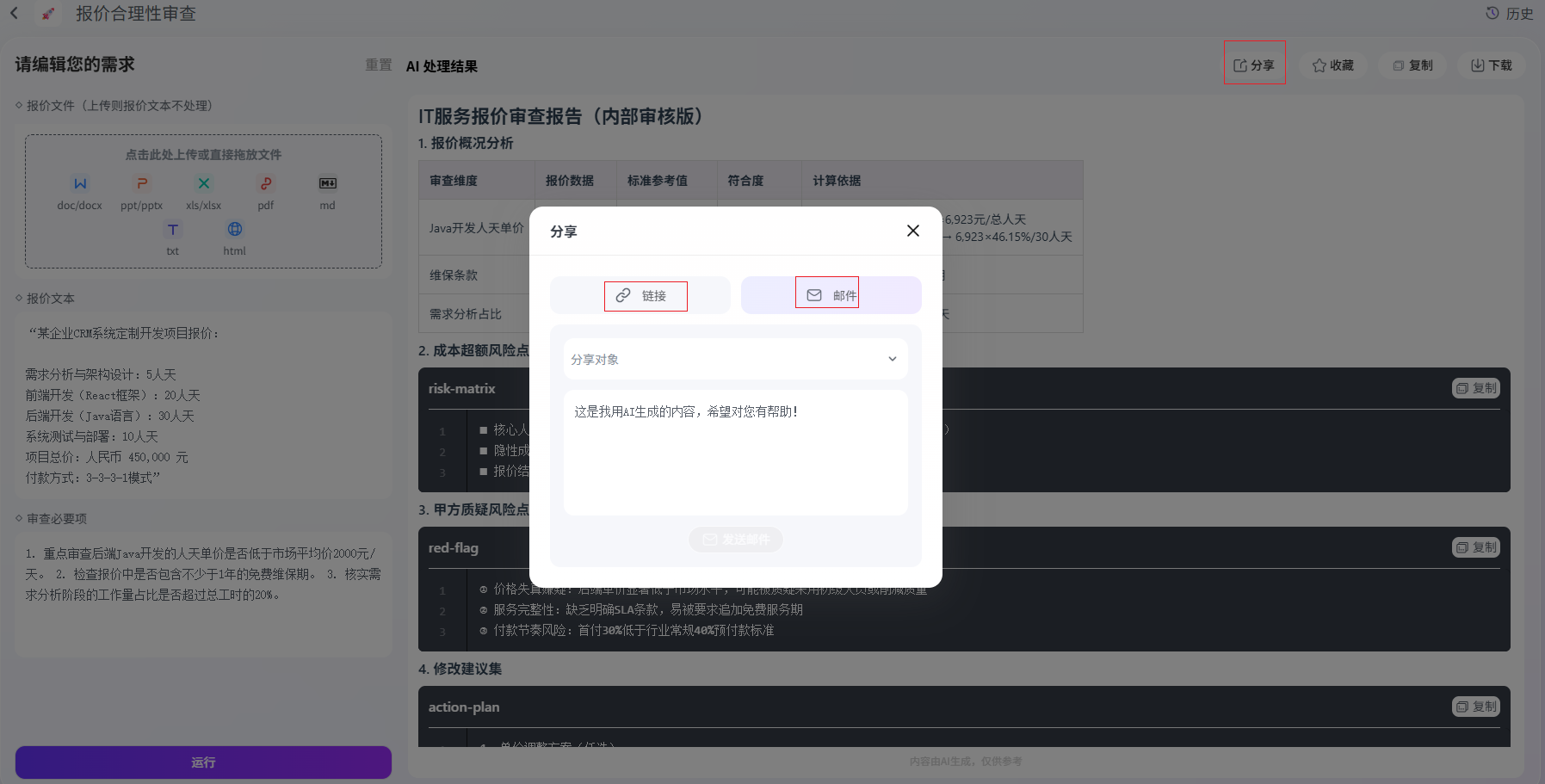
Share Results: Click the Share button to send the report via the following methods:
- Share with team members in the form of a Link.
- Send directly via Email.
-
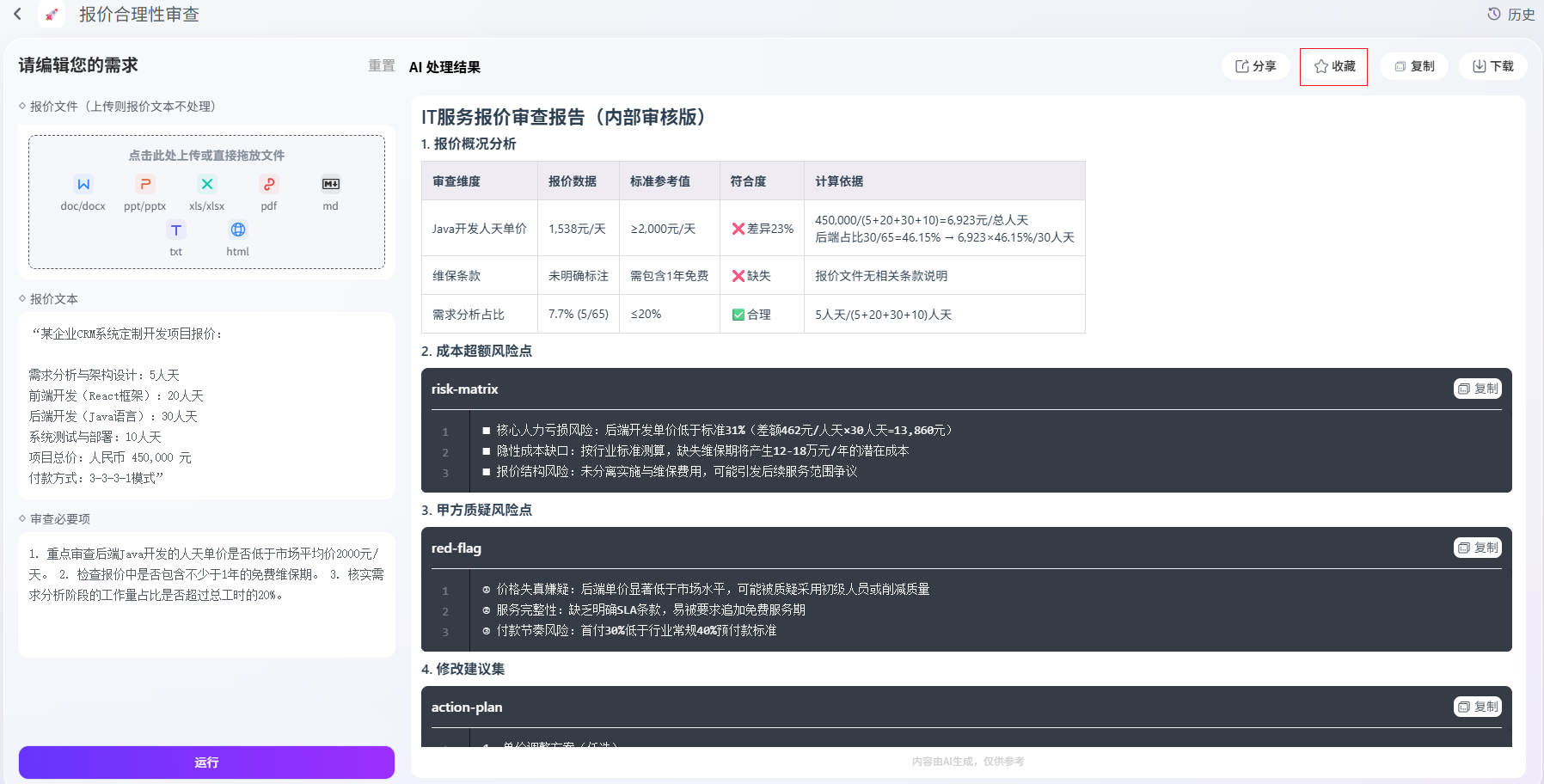
Save Record: Click the Favorite button to archive and save the current review record. You can quickly locate this record later in the "History - Favorited" list for review or secondary viewing.
3.5 System Reset
If you need to conduct a new round of review or clear the current page data:
- Click the "Reset" button on the page.
- The page will return to its initial default state, clearing uploaded files and entered text.
4. Frequently Asked Questions
Q1: What should I do if the file format I uploaded is not supported by the system?
A1: Please check the file extension. The system currently supports .doc, .docx, .xls, .xlsx, .pdf, .md, .txt, and .html. For other formats (such as images or scanned copies), it is recommended to copy and paste the text content from them into the "Quotation Text" box for analysis.
Q2: Why did I input quotation text, but the system seems not to have read it?
A2: Please check if files were uploaded simultaneously. The system logic prioritizes processing uploaded files. When a file upload is detected, the quotation text field will be automatically ignored. To use text input, please delete the uploaded file first.
Q3: Where can I view saved records?
A3: After clicking the Favorite button, you can access the "History" module in the navigation bar or menu, enter the "Favorited" tab, and view all saved review entries.
Q4: What are the common reasons for review failure?
A4: Failure usually occurs due to the following reasons:
- The uploaded file is corrupted or encrypted, making it impossible to read the text.
- The entered quotation text is too short or the format is too chaotic, preventing the system from extracting valid information. It is recommended to ensure that the input content includes key information such as clear project names, workload, unit prices, or total prices.
5. Summary
The Reasonableness Review of Quotations System provides a one-stop intelligent analysis solution for IT quotations by simplifying tedious manual verification processes. By quickly initiating analysis through file upload or text input, combined with personalized setting of review mandatory items, you can obtain multi-dimensional deep insights. Coupled with convenient sharing, favoriting, and copying functions, this system will effectively improve your work efficiency and safeguard every IT investment decision you make.